Resolution is the most commonly cited video quality metric, and also one of the most misunderstood. People throw around "1080p" and "4K" constantly, but few actually know what those numbers mean, or when a higher number genuinely matters versus when it's just extra file size for no real benefit. This guide breaks resolution down clearly, from the lowest common level up to 8K.
What Resolution Actually Means
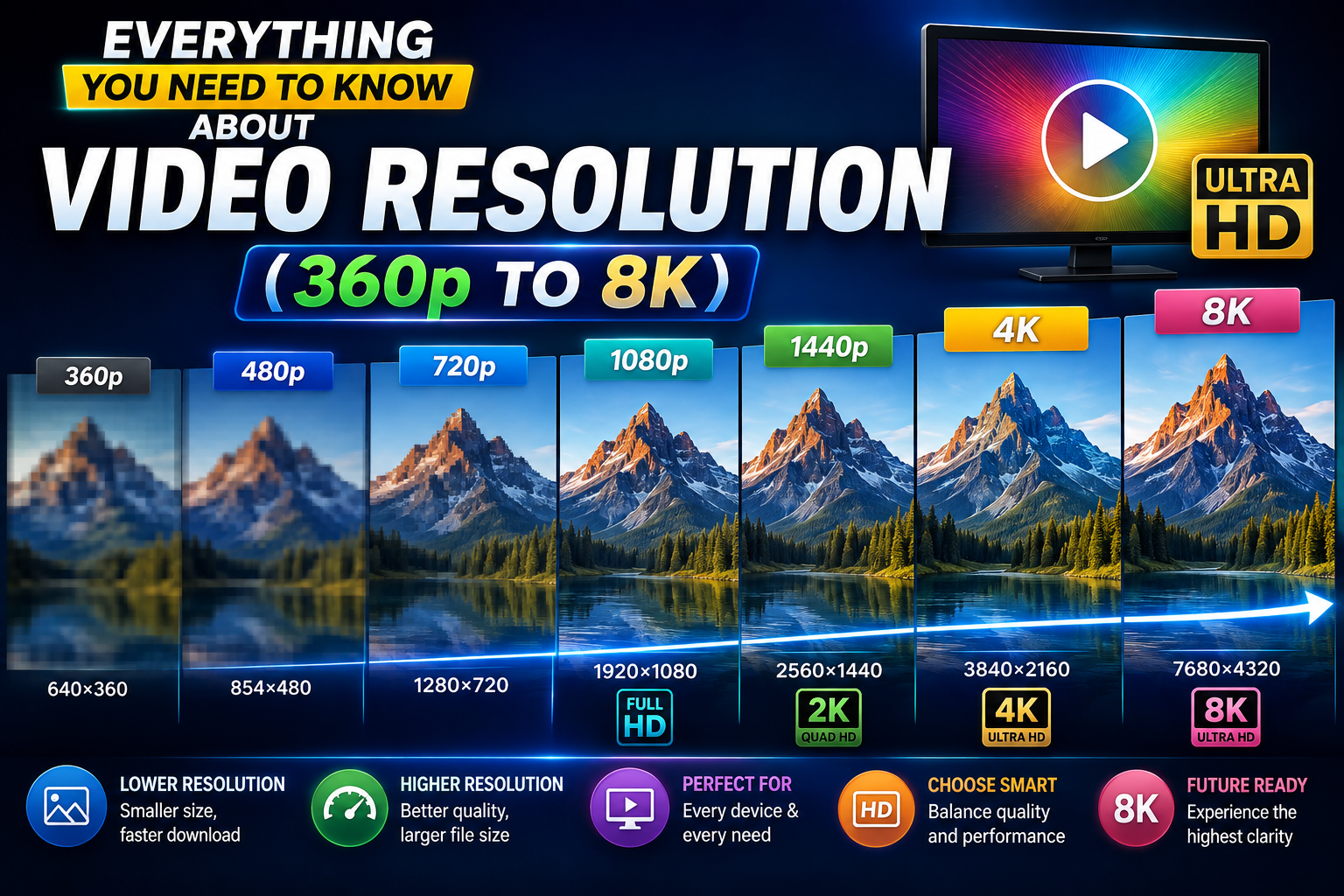
Resolution refers to the number of pixels that make up a video frame, typically expressed as width by height (like 1920x1080), though it's often shortened to just the vertical pixel count with a "p" (1080p) or, for 4K and above, described by horizontal pixel count. More pixels mean more visual detail can be captured and displayed, which generally translates to a sharper, clearer image — provided the source footage and encoding actually support that level of detail.
The Resolution Ladder, Explained
360p and 480p: Low Resolution
These lower resolutions were common in the earlier days of online video and are now mostly seen in low-bandwidth situations or older archived content. They're noticeably soft, especially on anything larger than a small phone screen, but they download quickly and use minimal storage. Useful mainly when connection speed or storage is severely limited.
720p: Standard HD
Often just called "HD," 720p represented a significant jump in clarity over older standard definition video and remains reasonably watchable, particularly on smaller screens. It strikes a middle ground between file size and quality, and is still a common default for many casual video uploads.
1080p: Full HD
1080p has been the practical standard for online video for years, offering noticeably sharper detail than 720p while still keeping file sizes manageable. For the vast majority of everyday viewing — on phones, laptops, and most TVs — 1080p provides a genuinely satisfying viewing experience.
1440p (2K): The In-Between Option
Sometimes called Quad HD, 1440p sits between 1080p and 4K, offering a noticeable but more modest improvement in sharpness. It's less universally used than 1080p or 4K, and mainly relevant if you're viewing on a display specifically suited to that resolution.
4K (2160p): Ultra HD
4K offers roughly four times the pixel count of 1080p, delivering significantly more fine detail — particularly noticeable on larger screens or when footage is viewed up close. It's become increasingly common for both casual and professional content, though the file sizes are considerably larger.
8K: The Current Ceiling
8K offers four times the pixel count of 4K, an enormous amount of visual detail that's genuinely difficult to appreciate outside of very large displays or specific professional use cases. 8K content and 8K-capable displays remain relatively uncommon, and file sizes at this resolution are substantial.
A Quick Comparison Table
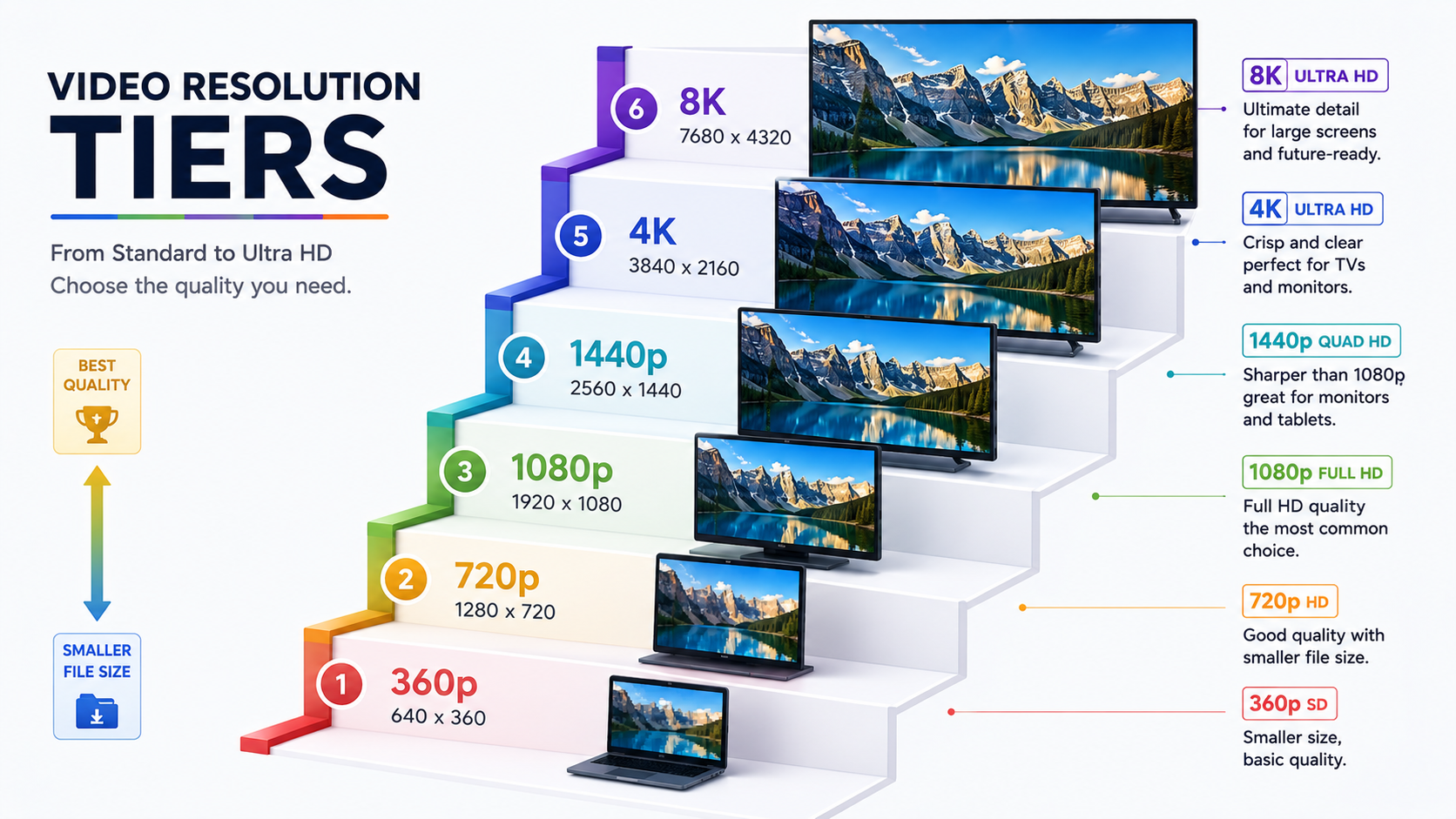
Resolution | Common Name | Best Use Case | Relative File Size |
|---|---|---|---|
360p–480p | Low resolution | Minimal bandwidth/storage situations | Very small |
720p | HD | Casual viewing, smaller screens | Small |
1080p | Full HD | Everyday standard, most screens | Moderate |
1440p | 2K/QHD | Larger monitors, in-between option | Moderate-large |
2160p | 4K/UHD | Large screens, editing, archiving | Large |
4320p | 8K | Very large displays, specialized use | Very large |
Do You Actually Need Higher Resolution?
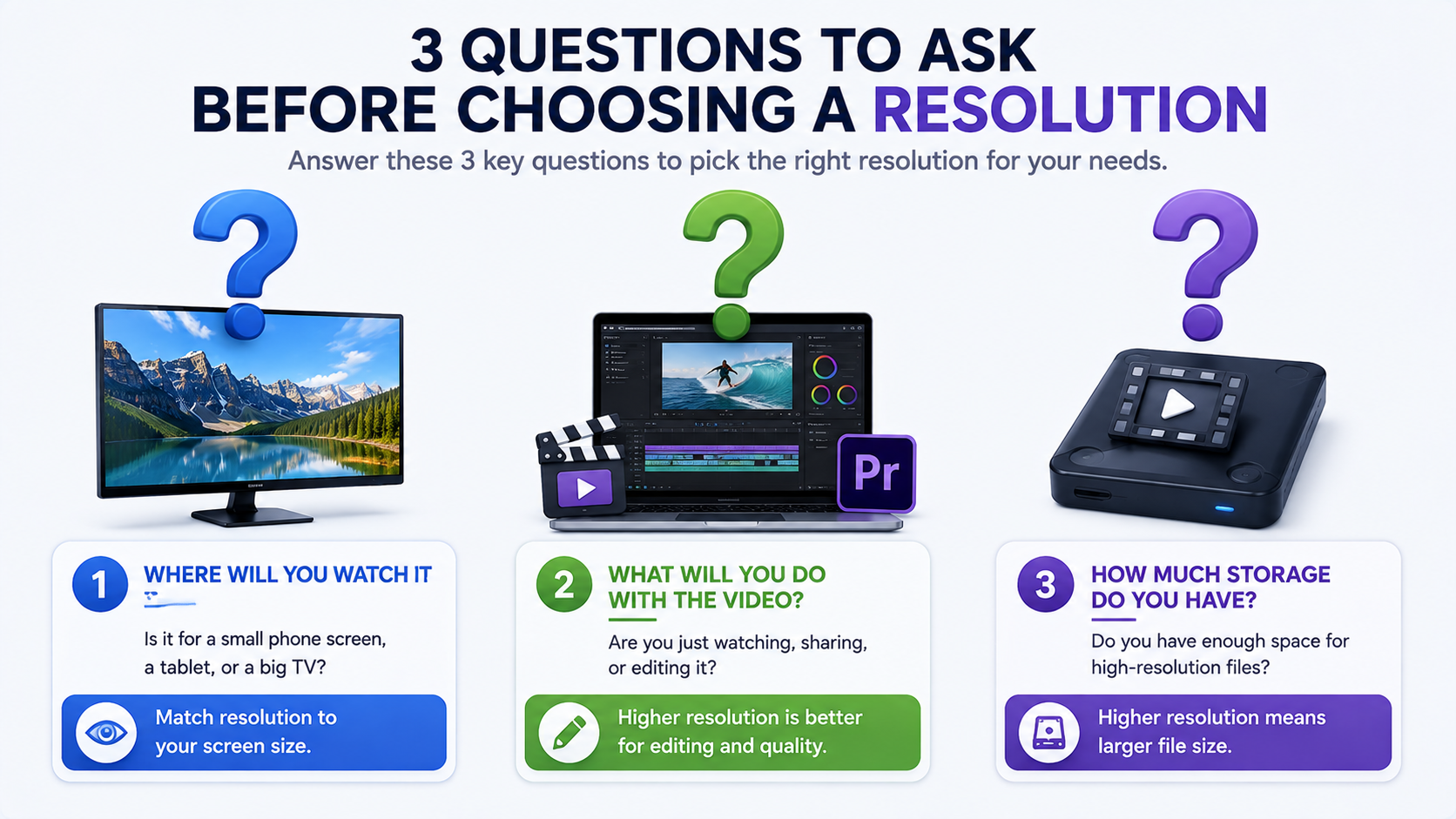
This is worth genuinely thinking about before automatically downloading everything in the highest available resolution. A few honest questions to ask:
What screen will you actually watch this on? On a phone screen, the visible difference between 1080p and 4K is often minimal, since the screen simply doesn't have enough physical size to show the extra detail clearly.
Are you editing or just watching? If you're planning to edit, crop, or zoom into footage, starting with a higher resolution gives you more flexibility, since you can always downscale later without losing quality, but you can't add detail that wasn't captured in a lower resolution original.
How much storage do you have available? Higher resolutions mean significantly larger files — a few minutes of 4K footage can easily be several times the size of the equivalent 1080p file.
How Resolution Relates to Download Quality
It's worth being clear that resolution alone doesn't guarantee quality — a video can be labeled 4K while still being heavily compressed, resulting in a file that technically has the pixel dimensions of 4K but doesn't actually display the fine detail you'd expect. This is why choosing a downloader that preserves the original stream, rather than one that re-encodes and compresses files, matters just as much as the resolution number itself.
White Hole is built to preserve whatever resolution the original source actually offers, without adding unnecessary compression on top. If a video was uploaded in 4K, that's genuinely what you'll get — not a compressed file that merely claims to be 4K.
How Viewing Distance Affects Perceived Resolution
An often-overlooked factor in whether higher resolution actually matters is viewing distance. The human eye can only resolve so much detail at a given distance, meaning the benefit of 4K or 8K diminishes significantly the farther you sit from the screen. This is why 4K makes a much bigger visible difference on a large TV viewed up close, or on a monitor you're sitting directly in front of, compared to the same resolution viewed on a small phone screen held at arm's length, where 1080p or even 720p can look nearly identical to the eye. Keeping this in mind can save you unnecessary storage space and download time on resolutions that won't provide a meaningful visual benefit for your actual viewing setup.
Resolution and Aspect Ratio
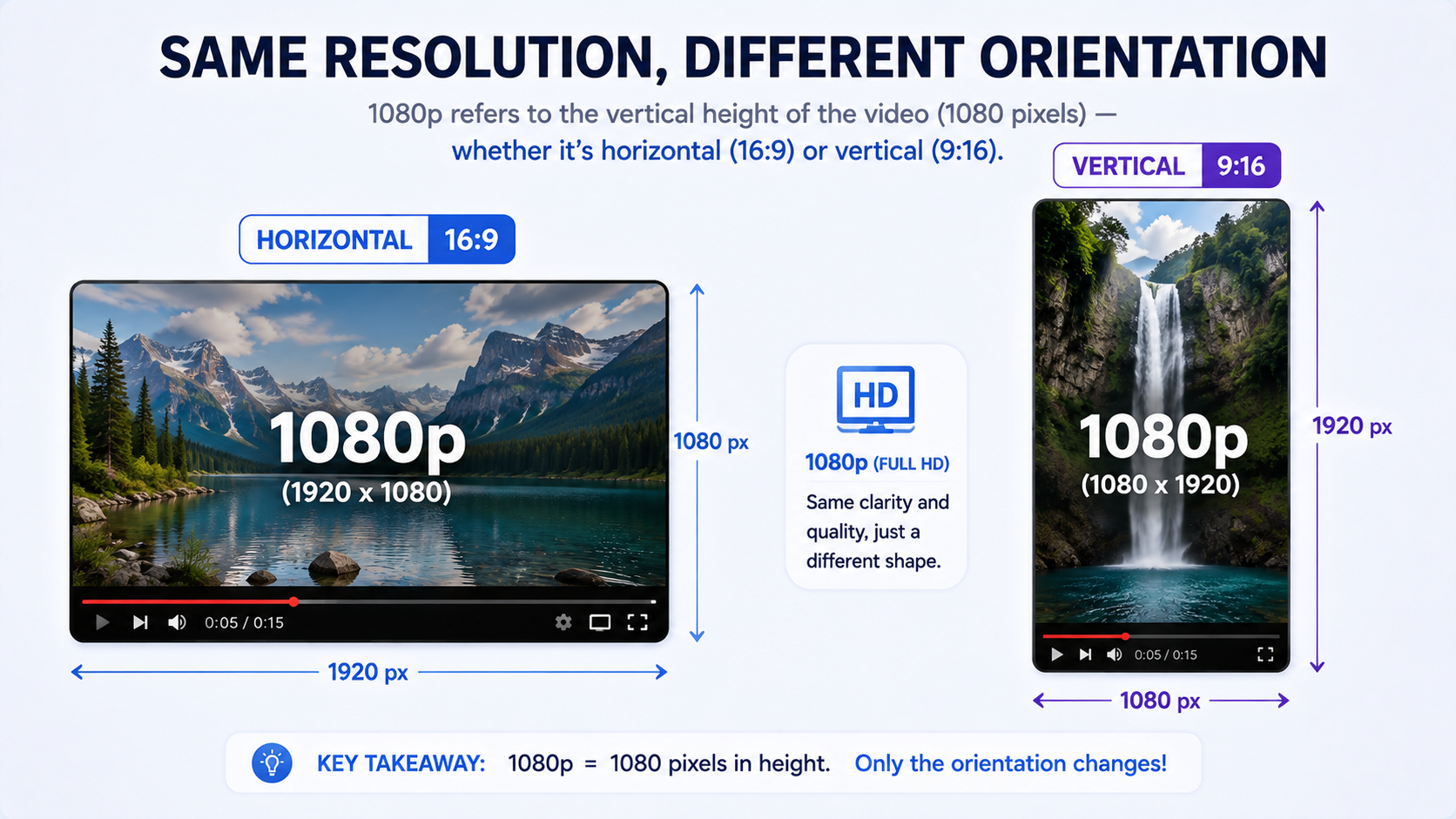
Resolution is often discussed independently of aspect ratio, but the two are closely related. Standard widescreen video uses a 16:9 aspect ratio, while vertical video — common on platforms built around mobile viewing — often uses 9:16. The same "1080p" label can describe a horizontal 1920x1080 frame or, in vertical format, a 1080x1920 frame, both showing the same amount of detail but oriented differently. Understanding this helps explain why file sizes and resolution labels can sometimes seem inconsistent between horizontal and vertical content of the same nominal quality level.
Frequently Asked Questions
Is 4K always better than 1080p?
Not necessarily for every use case — on smaller screens, the difference is often barely noticeable, while file size and storage requirements are significantly larger.
Can a downloader upscale a video to a higher resolution than the original?
No genuine quality improvement happens this way — a downloader can only preserve or degrade the resolution the source actually provides, not add detail that was never captured.
What resolution should I choose if I'm not sure?
1080p is a safe, practical default for most everyday viewing needs, balancing quality and file size well across most devices.
Does White Hole support downloading in 4K?
Yes, when the original source supports it — White Hole preserves the original resolution rather than defaulting to a lower one.
Final Thoughts
Resolution matters, but it's not the only factor in video quality, and higher isn't automatically better for every situation. Understanding what each resolution level actually offers — and being honest about what you'll actually use it for — helps you make smarter choices about what to download, and a downloader that faithfully preserves the source resolution, like White Hole, ensures you're getting the quality you actually expect.