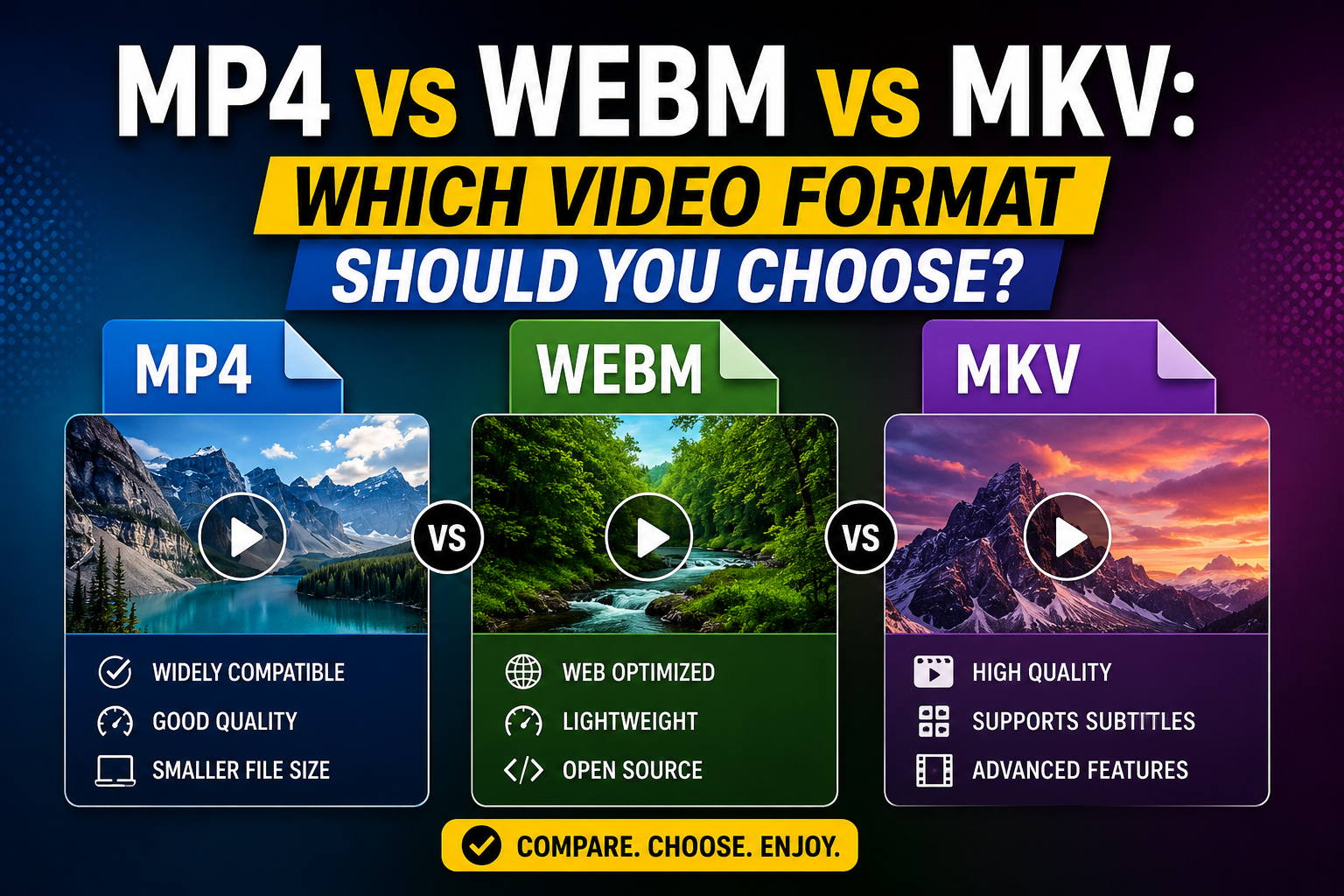
If you've ever downloaded a video and noticed the file extension without really thinking about what it means, you're not alone. Most people never need to think about video formats — until a file won't open, won't upload somewhere, or looks unexpectedly different from what they saved. Understanding the difference between MP4, WEBM, and MKV clears up most of that confusion, and helps you make better choices when a downloader gives you an option.
What a Video Format (Container) Actually Is
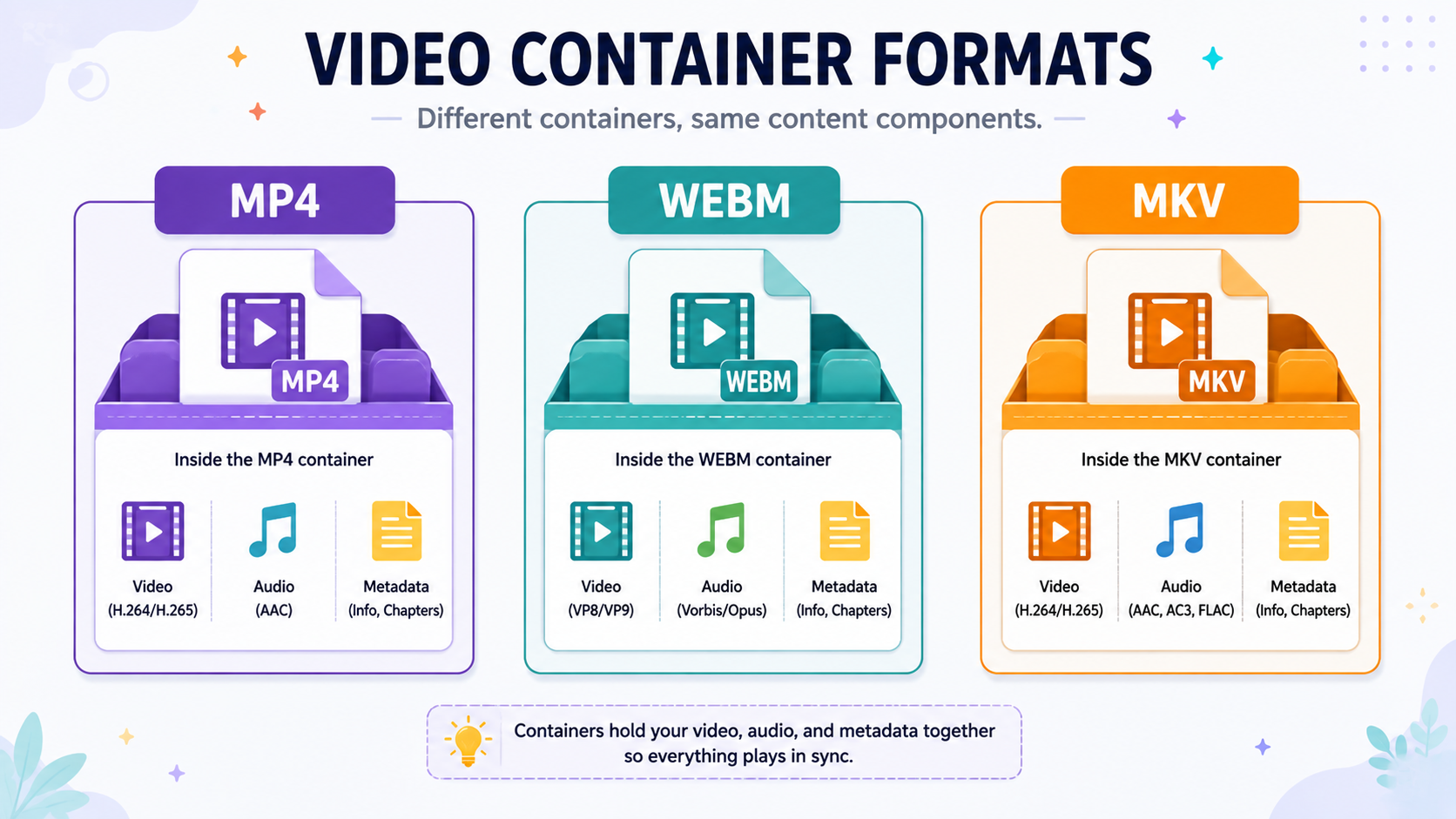
It helps to separate two ideas that often get lumped together: the container (the file format, like MP4 or MKV) and the codec (how the video data is actually compressed, like H.264 or VP9). The container is essentially a wrapper that holds the video, audio, and metadata together in a single file. Different containers support different codecs, and that combination is what determines compatibility, quality, and file size.
MP4: The Universal Default
MP4 is by far the most widely supported video format in existence. It plays natively on virtually every device, browser, operating system, and social media platform without needing any additional software.
Strengths:
Near-universal compatibility across devices and platforms.
Efficient compression relative to file size, especially with modern codecs like H.264 or H.265.
Widely supported by editing software, making it easy to work with afterward.
Weaknesses:
Slightly less flexible than MKV for certain advanced features like multiple subtitle tracks or unusual codec combinations.
For the overwhelming majority of everyday use — saving a video to watch later, sharing with someone, or using in a basic editing project — MP4 is the safest, most practical choice, and it's what most video downloaders, including White Hole, deliver by default.
WEBM: Built for the Web
WEBM was developed specifically with web streaming and browser playback in mind, and it's commonly used by platforms for embedded video players.
Strengths:
Generally efficient compression, particularly with the VP9 codec.
Open format with no licensing fees, which is part of why it's popular with browser based platforms.
Weaknesses:
Less universally supported outside of browsers — some media players and editing software need additional plugins to handle it properly.
Less common as a preferred format for saving and archiving video outside of a browser context.
WEBM tends to make more sense as the format a platform uses internally for streaming, rather than the format you'd actively choose for a saved, downloaded file, unless a specific tool you're using requires it.
MKV: The Flexible, Feature-Rich Option
MKV (Matroska) is an open-source container known for its flexibility — it can hold multiple audio tracks, subtitle tracks, and chapter markers within a single file, which makes it popular for things like downloaded movies or TV episodes with multiple language options.
Strengths:
Highly flexible, supporting multiple audio and subtitle tracks in one file.
Supports a wide range of codecs.
Popular in media archiving and home theater setups.
Weaknesses:
Not natively supported by some devices and platforms, meaning playback sometimes requires a specific media player like VLC.
Not accepted for upload on most social media platforms, which generally expect MP4.
A Direct Comparison
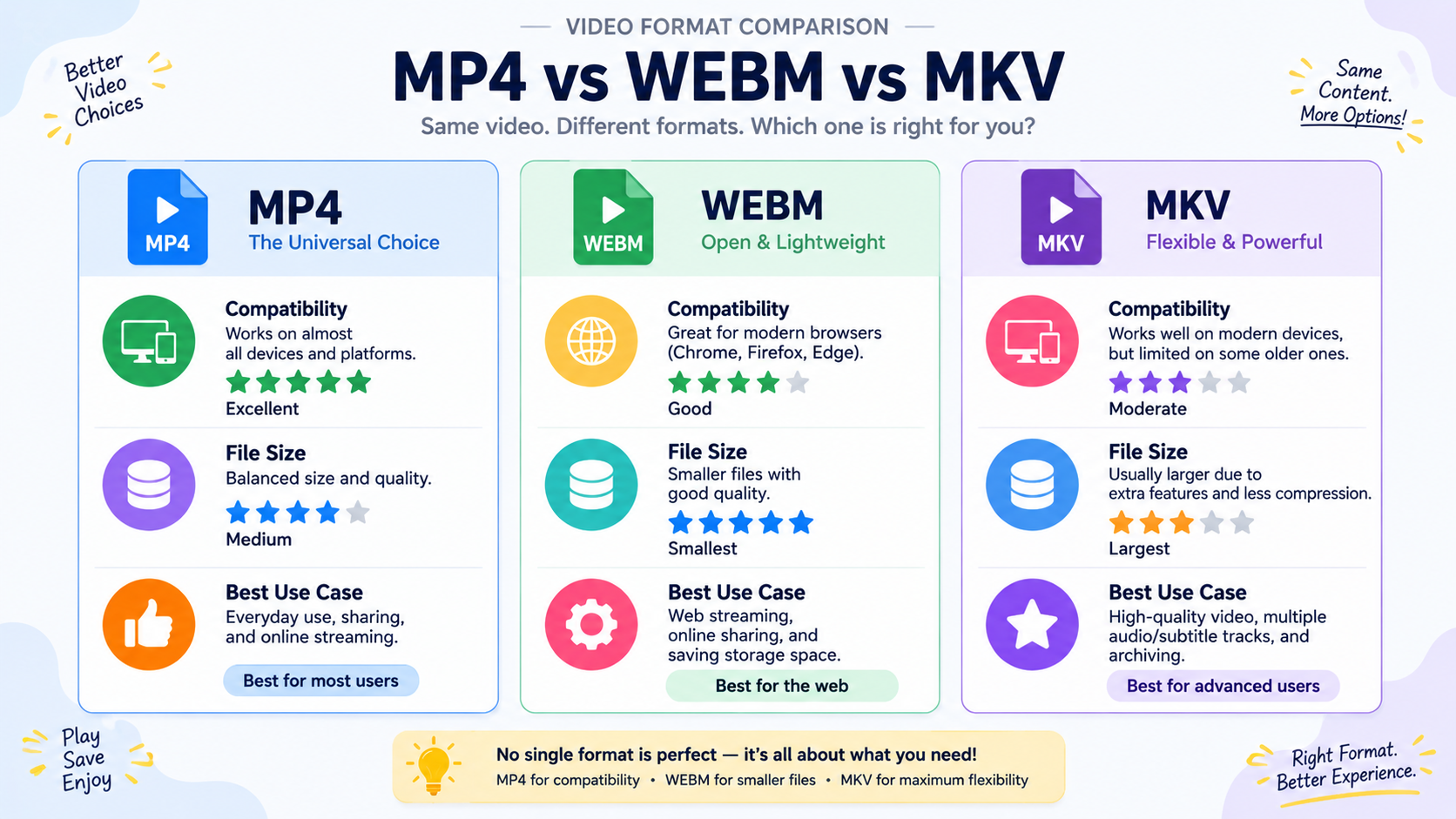
Format | Best For | Compatibility | Typical File Size |
|---|---|---|---|
MP4 | Everyday downloads, sharing, editing | Excellent — plays almost everywhere | Efficient |
WEBM | Browser embedding and streaming | Good in-browser, weaker elsewhere | Efficient |
MKV | Archiving, multiple audio/subtitle tracks | Requires compatible player | Larger, feature-rich |
Which Format Should You Actually Choose?
For the vast majority of people downloading videos for everyday use — saving a clip, backing up your own content, keeping a reference video for a project — MP4 is the right default choice. It plays everywhere without extra software, works well with editing tools, and strikes a solid balance between quality and file size. MKV becomes more relevant if you're specifically archiving content with multiple subtitle or audio tracks you want preserved, and you're comfortable using a dedicated media player like VLC to view it. WEBM is rarely something you'd actively choose for a downloaded file — it's more relevant to how platforms serve video internally than to what you'd want sitting in your downloads folder.
How Editing Software Handles Each Format
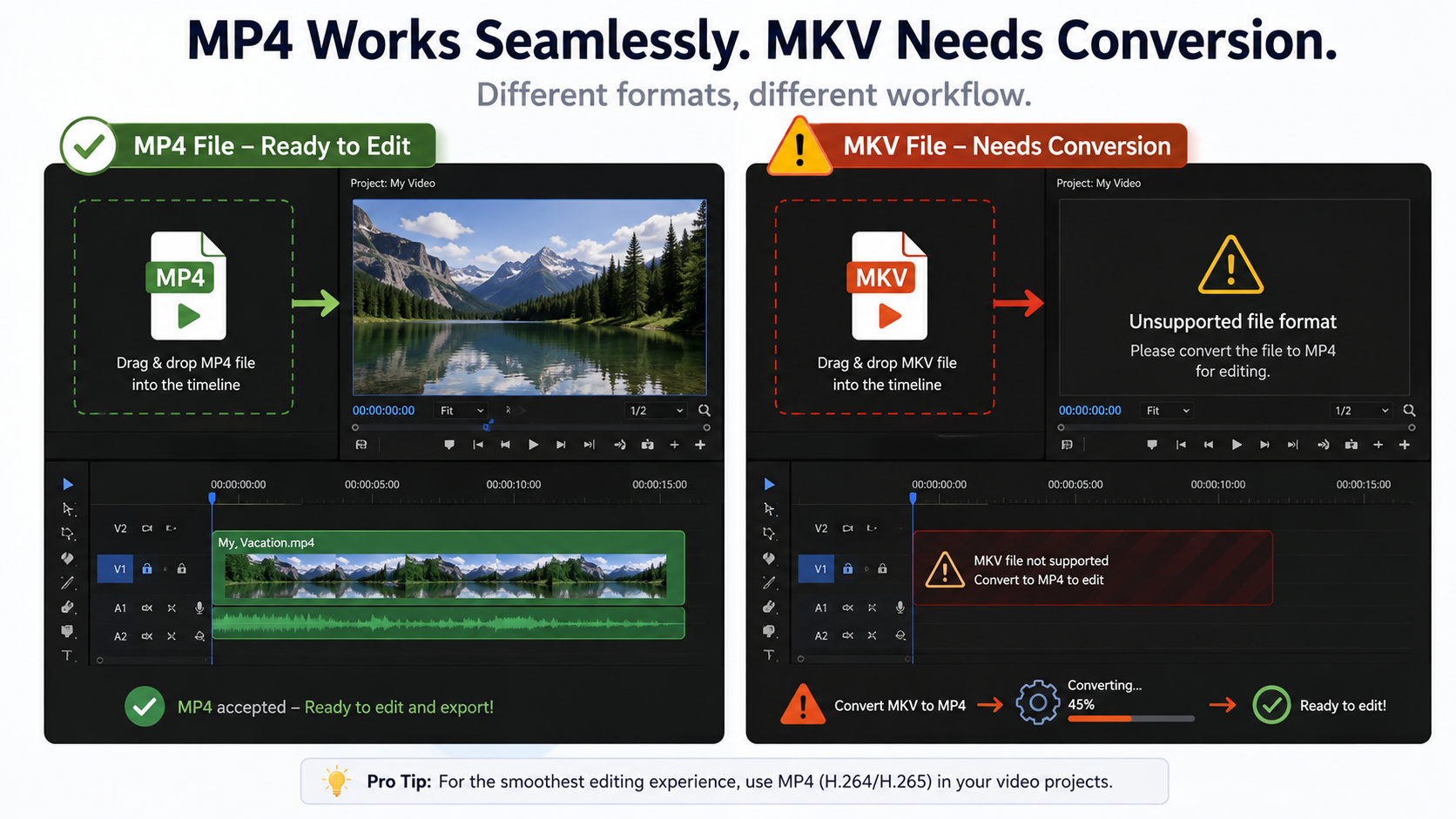
If you plan to edit a downloaded video, format compatibility matters even more. Most consumer and professional editing software — including widely used tools across desktop and mobile — handles MP4 without any friction, since it's the industry-standard delivery format. MKV files sometimes require conversion before an editor will accept them, adding an extra step and a potential quality trade-off during that conversion. WEBM support in editing software is more inconsistent, and it's not unusual to need to convert a WEBM file to MP4 before an editor will import it cleanly. If editing is part of your workflow, this alone is often reason enough to prefer MP4 from the start rather than converting later.
How This Relates to Choosing a Video Downloader
A good downloader tool should default to a format that just works for you, without requiring you to understand codecs and containers in detail. This is one of the quieter but genuinely important design choices behind a tool like White Hole — downloads are delivered in a widely compatible format by default, so you don't need to make a technical decision just to save a video you want to watch later or use in a project.
A Brief Note on Audio Within These Containers
Video format discussions often focus entirely on the visual side, but audio compatibility matters too. MP4 commonly pairs with AAC audio, which is broadly supported and efficient. MKV can bundle in a wider range of audio codecs, including higher-fidelity, less compressed options favored in home theater and archival contexts, but this flexibility again comes with reduced compatibility on casual playback devices. If audio quality matters as much as video quality for your particular use case — a downloaded concert recording, for instance — it's worth checking that your chosen format and player support the specific audio codec involved.
Frequently Asked Questions
Which format should I choose if I'm not sure?
MP4, in almost every case. It's the safest, most compatible default for general use.
Why won't my MKV file play on my phone?
Many mobile devices don't natively support MKV playback. Installing a dedicated player like VLC usually solves this.
Does format affect video quality?
Not directly — quality depends more on the codec and bitrate used within the container than the container format itself. However, some formats pair more efficiently with certain codecs.
Can I convert between these formats after downloading?
Yes, though conversion can introduce additional compression if not done carefully. It's generally better to download in the format you actually need from the start.
Final Thoughts
For most everyday downloading needs, MP4 remains the clear, practical choice — it's compatible everywhere, works well with editing software, and doesn't require any extra thought. WEBM and MKV both have specific strengths, but they're suited to more particular use cases rather than general, everyday downloading.