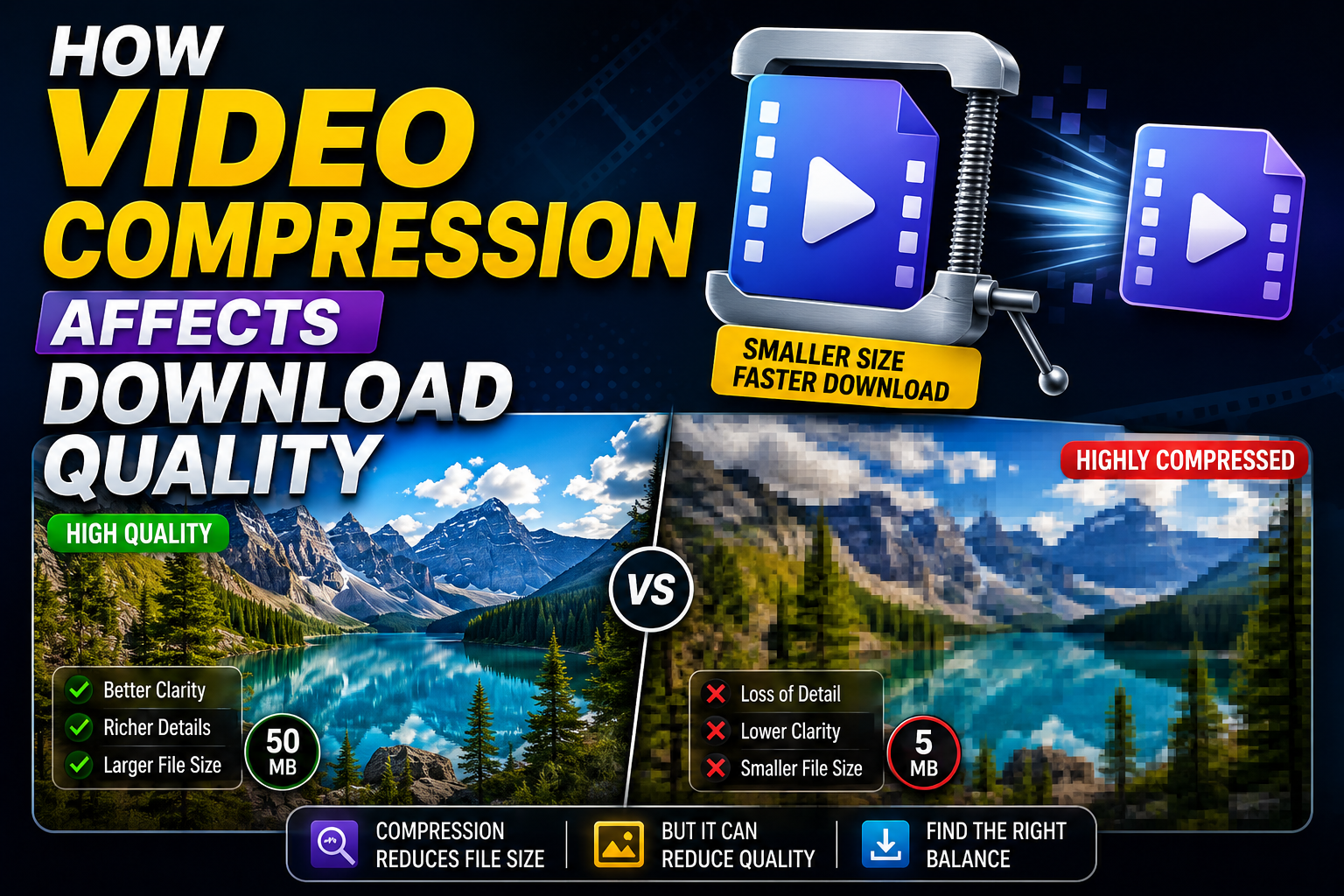
Compression is the single biggest factor behind why a downloaded video sometimes looks worse than what you originally saw. It's also one of the least understood parts of the download process, since it happens invisibly in the background. This guide breaks down what compression actually does, why it matters, and how to minimize its impact on your downloads.
What Video Compression Actually Does
Raw, uncompressed video is enormous — far too large to stream or download practically. Compression reduces file size by discarding or approximating data that's less noticeable to the human eye, using mathematical models built into video codecs like H.264 or H.265. This is why compression is often described as "lossy" — some information is genuinely thrown away in the process, and it can't be perfectly recovered afterward. The amount of compression applied is controlled by bitrate: how much data is allowed per second of video. Higher bitrate means less aggressive compression and better-preserved detail; lower bitrate means more aggressive compression and more visible quality loss.
Where Compression Happens During Downloading
There are two distinct points where compression can affect a downloaded video:
At the source. The platform itself compresses video during upload and storage, meaning even the "original" file you're downloading has already been compressed once, to some degree, by the platform's own systems.
During the download process. This is the part that varies enormously between downloader tools. A well-built downloader pulls the platform's existing file as-is, without further compressing it. A poorly built or corner-cutting downloader re-encodes the file a second time — often at a lower bitrate to save server processing costs or speed up the download — stacking additional compression on top of what the platform already applied.
This second, avoidable layer of compression is where most of the visible quality complaints come from.
Visible Signs of Over-Compression
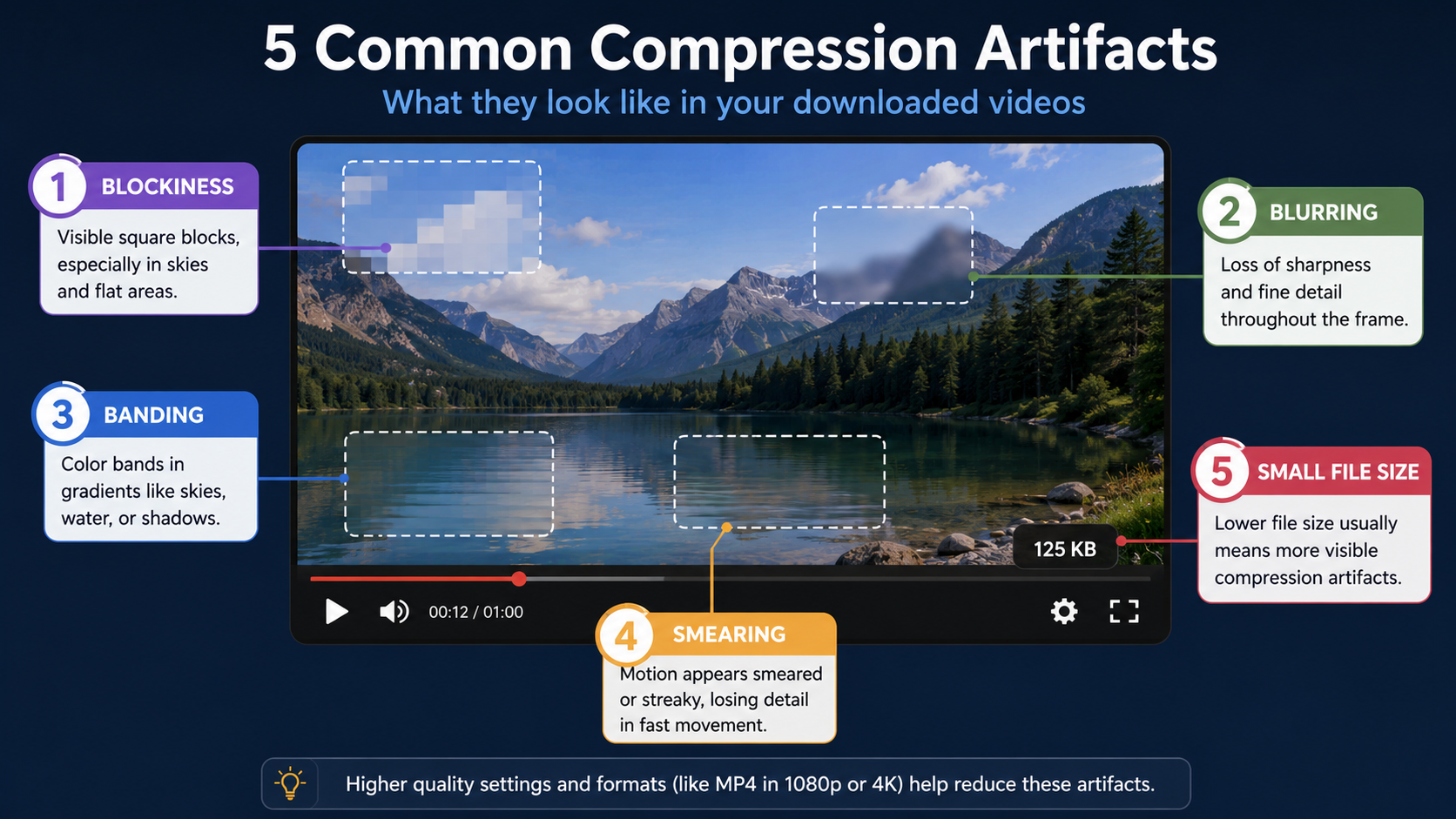
Blockiness, especially in fast-motion scenes or areas with a lot of visual detail.
Blurring around edges and fine textures.
Banding, visible as stepped color transitions in gradients like skies or shadows, instead of a smooth blend.
Muddy or smeared detail during quick camera movement.
Noticeably smaller file size than expected for the video's length and stated resolution.
Why Compression Isn't Always Bad
It's worth being fair to compression itself — it's not inherently a problem. Without it, video streaming and downloading as we know it wouldn't be practical at all; file sizes would be too large for most connections and devices to handle. The issue isn't that compression exists, it's when a downloader applies unnecessary additional compression beyond what's needed, purely to cut its own costs, without telling you it's happening.
How to Minimize Compression's Impact on Your Downloads
Choose a downloader that preserves the original stream. This is the single most effective step — a tool that pulls the source file directly, without re-encoding, avoids adding that second layer of avoidable compression entirely.
Avoid tools that add watermarks. As covered in other guides on this topic, watermarking requires reprocessing the file, which is itself a compression event that degrades quality.
Check file size as a quick indicator. A properly preserved file will be noticeably larger than an over-compressed one at the same resolution — this is one of the fastest ways to spot the difference without technical tools.
Download the highest quality the source actually offers. No downloader can undo compression that already happened at the platform level, so starting from the best available source version matters.
How White Hole Approaches Compression
White Hole is built specifically to avoid adding unnecessary compression during the download process. Rather than re-encoding files to save processing time, it's designed to preserve the original stream as closely as the source allows, with no watermark added afterward. This means the quality you see on the original platform is the quality you should expect in your downloaded file, rather than a further-degraded copy of it.
A Simple Compression Comparison
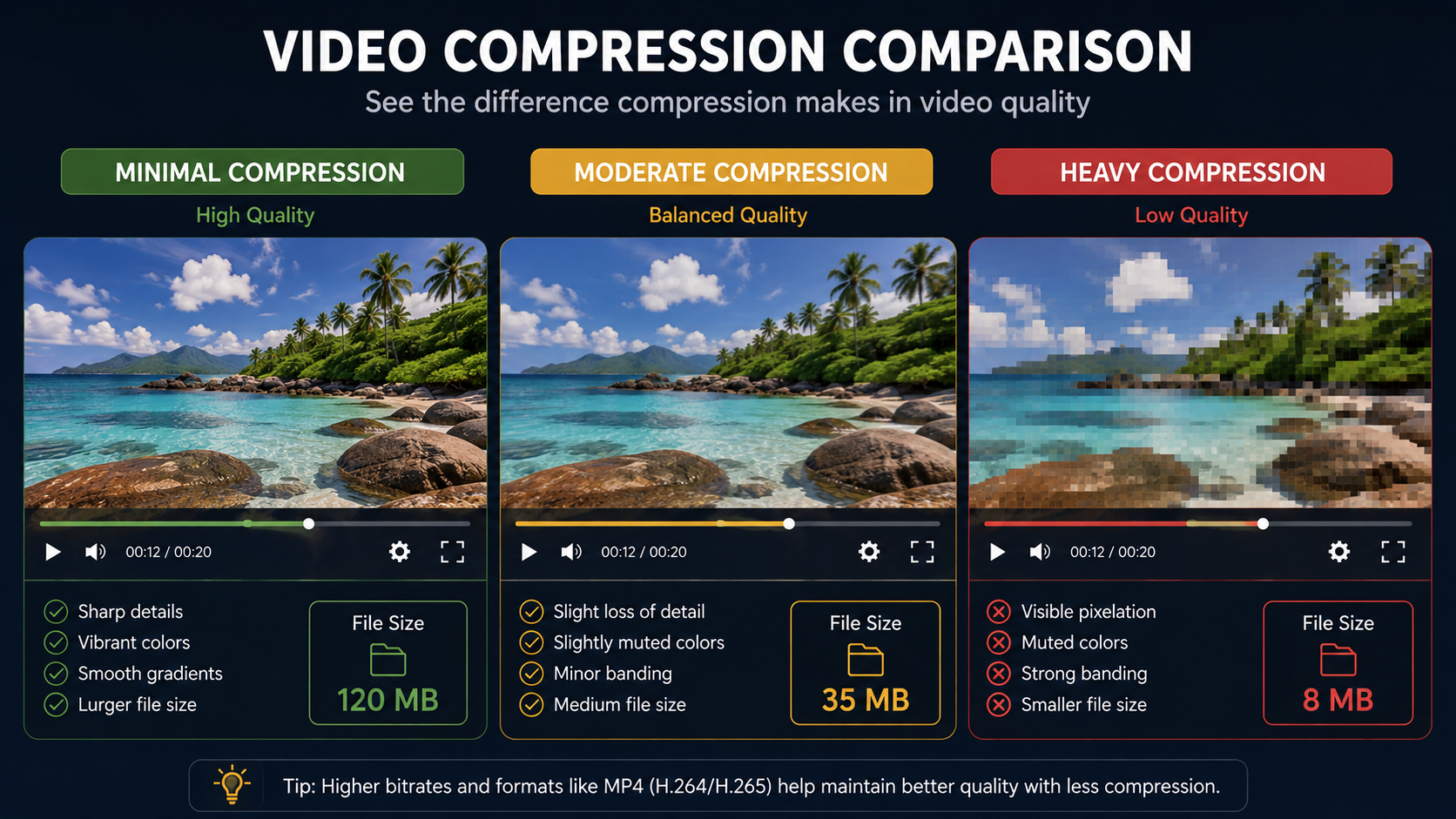
Compression Level | File Size (relative) | Visible Quality |
|---|---|---|
Minimal (original preserved) | Larger | Closely matches source |
Medium | Moderate | Slight softness, usually acceptable |
Heavy | Small | Visible blockiness, blurring, banding |
Compression and Different Types of Content
Not all footage is affected equally by compression. Static or slow-moving content — presentations, interviews, still shots — tends to hold up reasonably well even under moderate compression, since there's less frame-to-frame change for the algorithm to preserve. Fast-motion content — sports, action sequences, quick camera pans — is far more vulnerable to visible degradation, since compression algorithms have to work harder to keep up with rapidly changing detail, and quality shortcuts become more obvious as a result.
Codecs and Their Role in Compression Efficiency
The specific codec used also affects how much quality is preserved at a given file size. Newer codecs like H.265 (HEVC) and AV1 are generally more efficient than older ones like H.264 — meaning they can achieve similar visual quality at a smaller file size, or noticeably better quality at the same file size. However, newer codecs aren't universally supported across every device and player, which is part of why H.264 remains the most common default despite being less efficient than its successors. When a downloader chooses which codec to deliver, it's balancing efficiency against compatibility, and a well-designed tool leans toward whichever combination best preserves the source quality without introducing compatibility headaches for the average user.
Testing Compression Yourself: A Simple Method
If you want to see compression's effect firsthand, try this simple comparison: download the same video using two different tools, then place both files side by side and compare file sizes and playback quality at full screen. Pay particular attention to fast-motion scenes and areas with fine detail, like text or foliage, since these are where compression differences show up most clearly. This kind of direct comparison is far more informative than reading marketing claims on a downloader's homepage, since it shows you exactly how a given tool handles the specific type of content you care about.
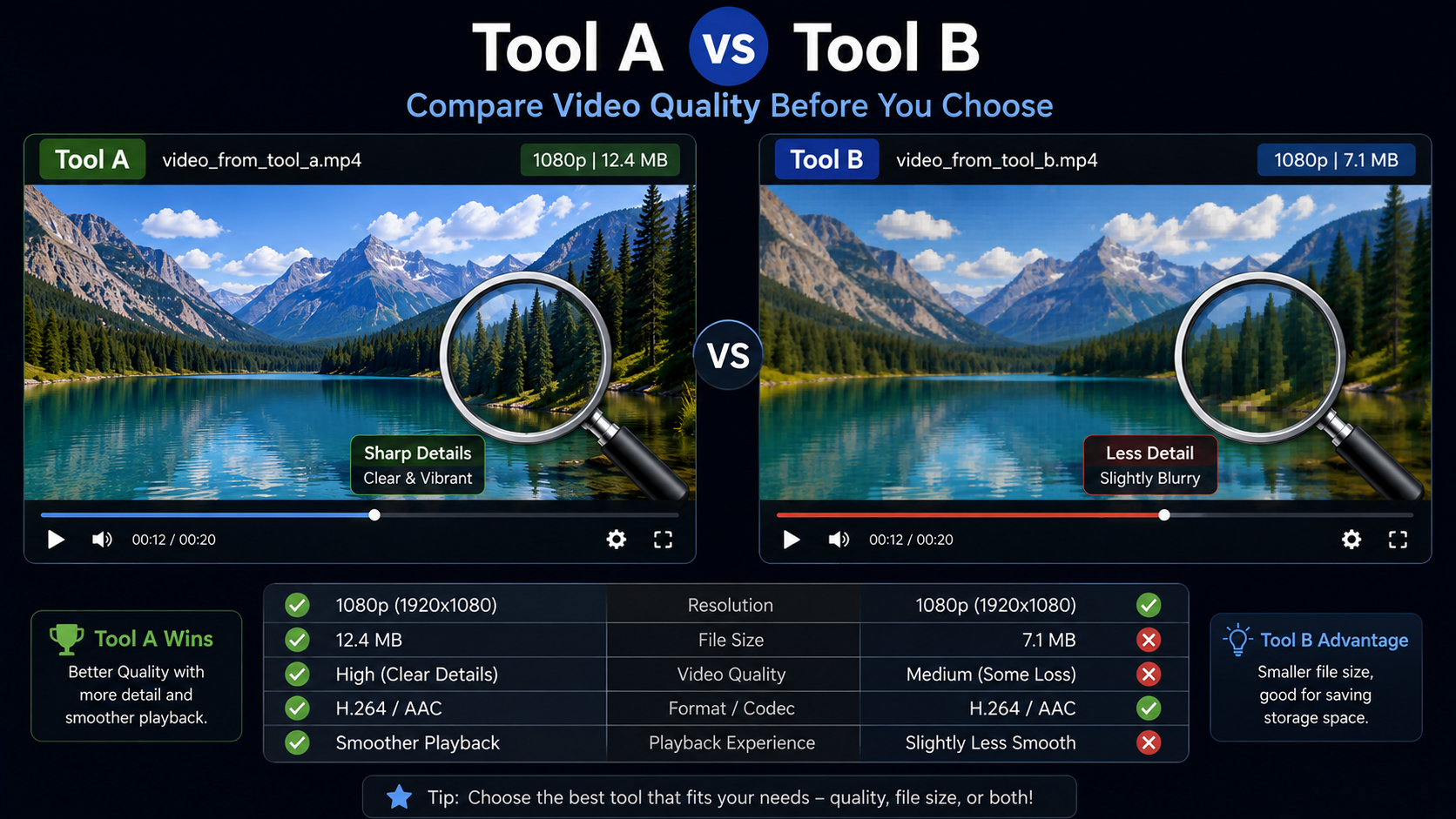
The Trade-Off Between File Size and Storage
It's worth acknowledging that preserving maximum quality does come with a genuine trade-off: larger files take up more storage space and, in some cases, longer download times. For most people, this trade-off is worth it — storage has become significantly cheaper over time, and a properly preserved file is simply more useful, whether for archiving, editing, or just enjoying the content the way it was meant to look. If storage genuinely is a constraint, it's better to consciously choose a lower resolution upfront (like 720p instead of 1080p) rather than relying on a downloader's silent, unannounced compression to shrink the file for you.
Frequently Asked Questions
Can compressed video quality be restored after downloading?
No — once data is discarded during lossy compression, it can't be fully recovered. The best approach is preventing unnecessary compression at download time in the first place.
Why does the same video look different when downloaded from different tools?
Different downloaders handle the source file differently — some preserve it as-is, others re encode it at a lower bitrate, which produces visibly different results even from the identical source link.
Does higher resolution always mean less compression?
Not necessarily. Resolution and compression are related but separate — a video can be labeled at a high resolution while still being heavily compressed, resulting in visible quality loss despite the resolution number looking correct.
Does White Hole compress videos during download?
No, White Hole is built to preserve the original stream without adding further compression or watermarks.
Final Thoughts
Compression is an unavoidable part of how video works online, but avoidable, additional compression during the download process is where most quality complaints actually originate. Choosing a downloader that preserves the original file — like White Hole — removes that avoidable layer entirely, so what you download matches what you saw on the original platform.