Codecs are one of those technical concepts that quietly affect nearly every video you watch or download, without most people ever needing to think about them directly. But if you've ever wondered why some video files are smaller than others despite looking similar, or why a file won't play on a certain device, codecs are usually the answer. Here's a clear, beginner-friendly breakdown.
What a Codec Actually Is
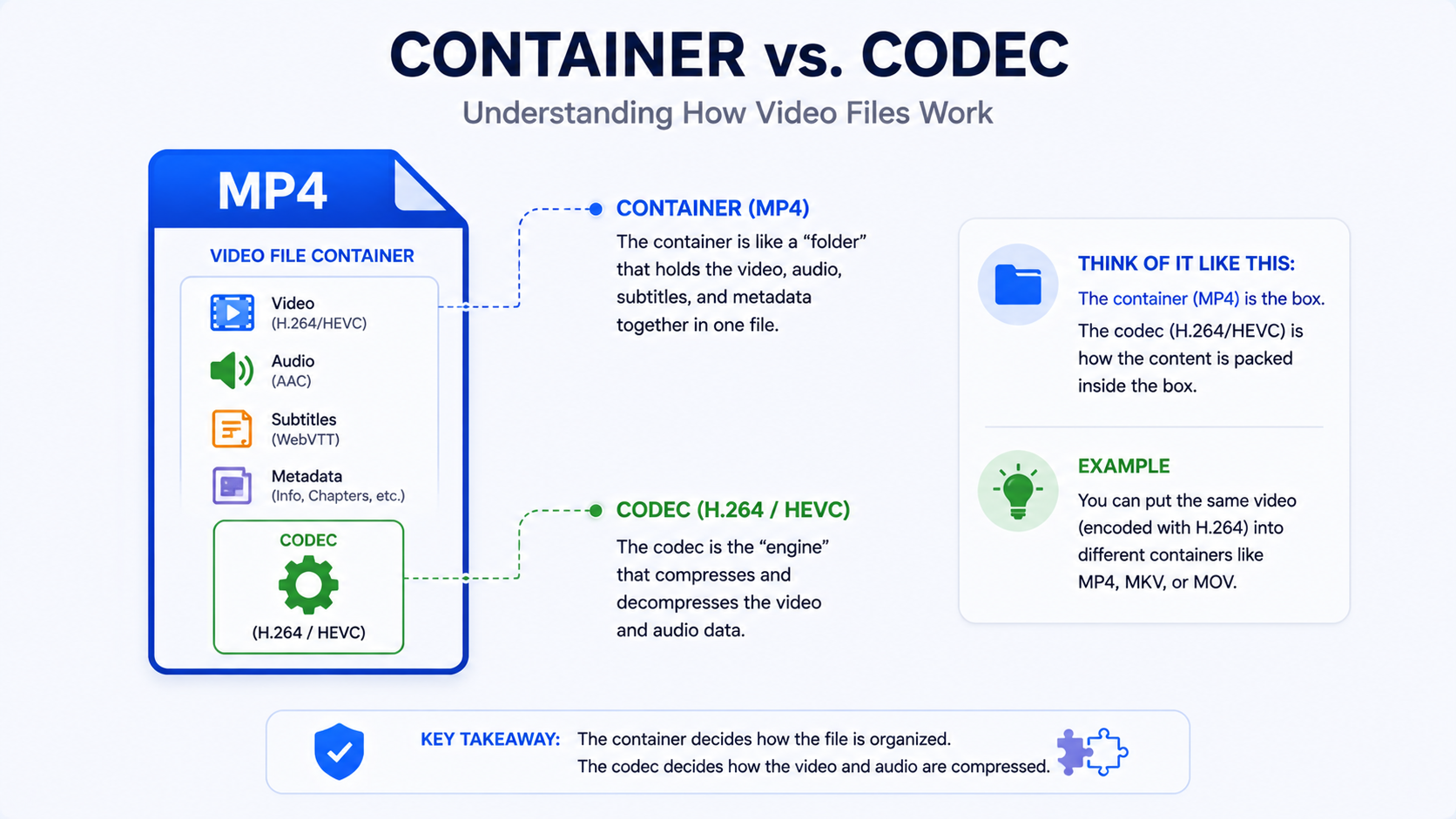
A codec (short for "coder-decoder") is the technology used to compress raw video data into a manageable file size, and then decompress it again for playback. Without codecs, video files would be so large that streaming and downloading them practically would be nearly impossible. Different codecs use different mathematical approaches to compression, resulting in different trade-offs between file size, quality, and compatibility.
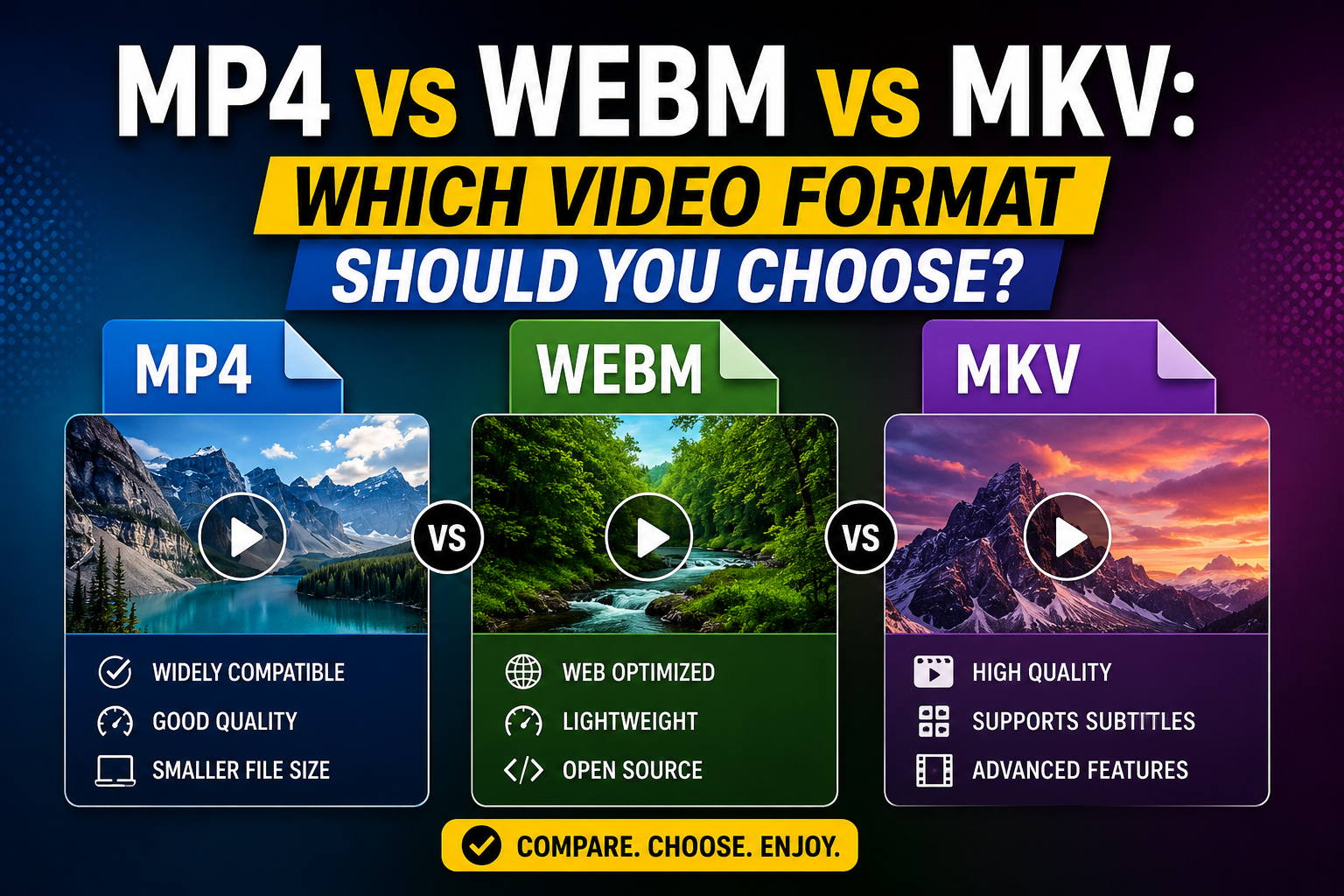
It's worth distinguishing this from the container format (like MP4 or MKV) covered in other guides — the container is the "package," while the codec is what's actually doing the compression work inside it. A single container format, like MP4, can actually hold video encoded with different codecs.
H.264: The Long-Standing Standard
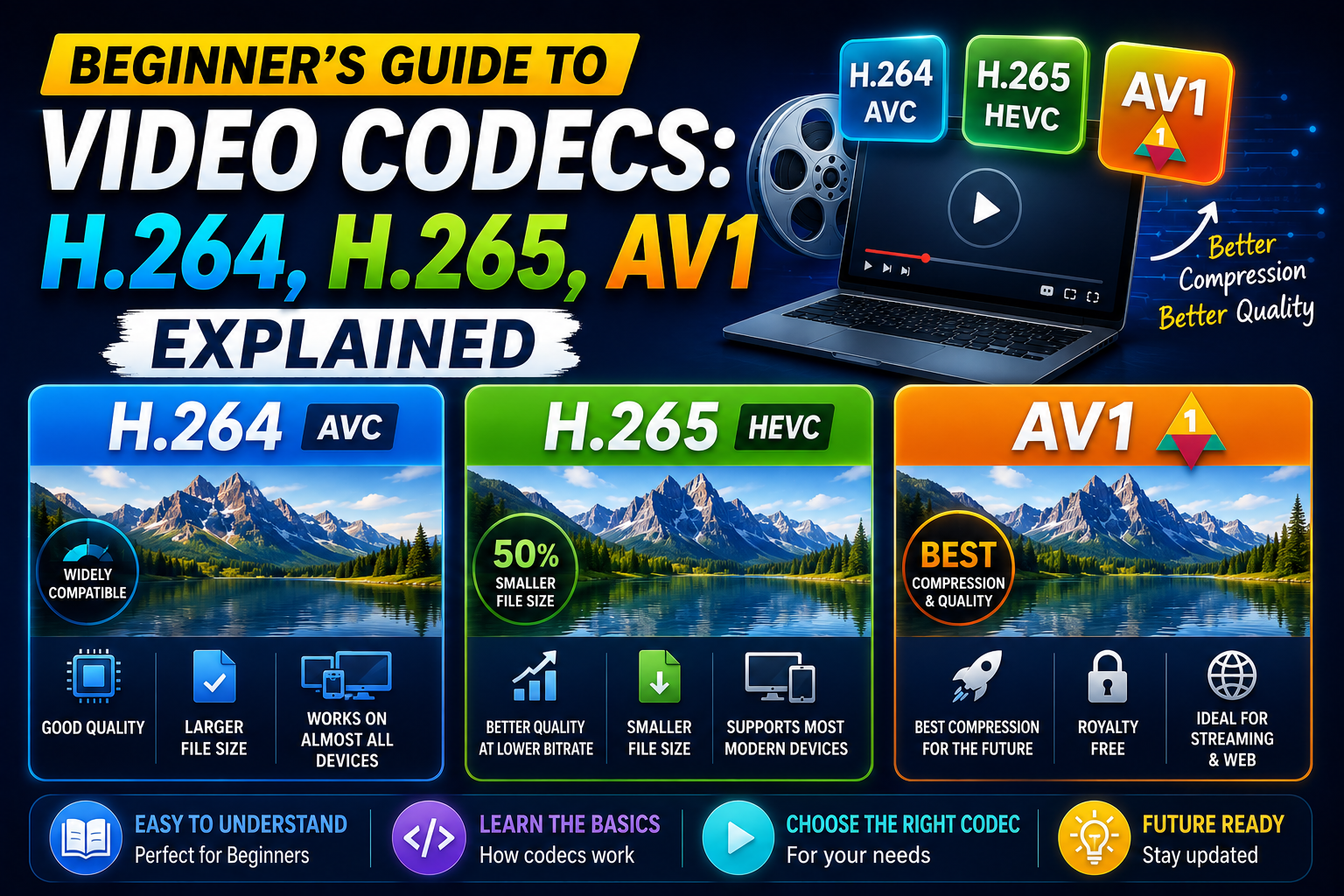
H.264 (also known as AVC) has been the dominant video codec for well over a decade, and remains the safest choice for broad compatibility. It's supported natively by essentially every device, browser, and platform in existence.
Strengths:
Universal compatibility across virtually all devices and software.
Well-understood and heavily optimized after years of widespread use.
Reliable performance even on older or lower-powered hardware.
Weaknesses:
Less efficient than newer codecs, meaning it requires a higher bitrate to achieve the same quality as H.265 or AV1.
H.265 (HEVC): The Efficient Successor
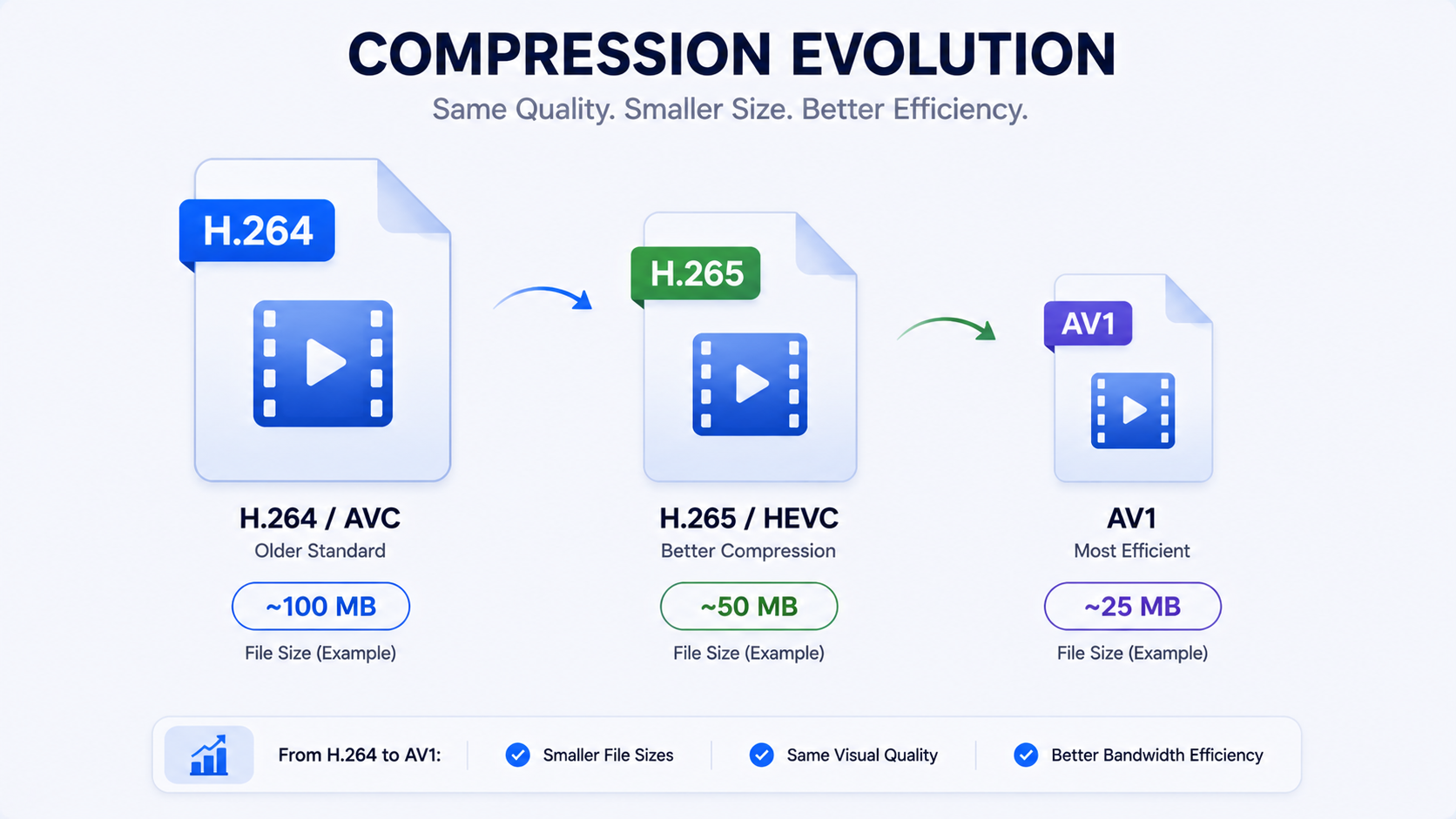
H.265, also called HEVC (High Efficiency Video Coding), was designed specifically to improve on H.264's compression efficiency — generally delivering similar visual quality at roughly half the file size, which made it especially attractive as 4K content became more common.
Strengths:
Significantly more efficient compression than H.264, particularly valuable for high resolution content like 4K.
Increasingly well-supported on modern devices and platforms.
Weaknesses:
Not universally supported on older devices or software, sometimes requiring additional licensing or hardware support for smooth playback.
Licensing costs have historically made some platforms hesitant to adopt it as a default.
AV1: The Newer, Open-Source Challenger
AV1 is a newer, royalty-free codec developed by a coalition of major technology companies, designed to be even more efficient than H.265 while avoiding the licensing costs associated with it.
Strengths:
Excellent compression efficiency, often outperforming H.265 at equivalent quality levels.
Royalty-free, which has encouraged broader industry adoption over time, particularly among major streaming and video platforms.
Weaknesses:
Still catching up in terms of universal hardware support, particularly on older devices.
Encoding AV1 video can be more computationally intensive than older codecs, sometimes resulting in slower processing.
A Direct Comparison
Codec | Compression Efficiency | Compatibility | Best For |
|---|---|---|---|
H.264 | Baseline | Excellent, near-universal | Maximum compatibility |
H.265 | Better than H.264 | Good, improving | High-resolution content like 4K |
AV1 | Best of the three | Improving, not yet universal | Future-focused, efficiency priority use |
Why This Matters When Downloading Videos
When you download a video, the codec used affects both file size and how easily it will play back on your specific devices. A file encoded in a newer, more efficient codec might be smaller for the same visual quality, but could run into playback issues on an older device or media player that doesn't fully support that codec yet. This is part of why widely compatible defaults, generally built around H.264 within an MP4 container, remain the safest choice for most everyday downloading needs, even though newer codecs offer efficiency advantages.
How Downloader Tools Handle Codec Choices
A good downloader tool should handle this complexity for you, delivering a file in a format and codec that plays reliably across common devices, without requiring you to understand any of this in detail. White Hole is built around this principle — focusing on preserving the original video quality and delivering it in a widely compatible format, so you don't need to make a technical codec decision just to download and watch a video.
How Hardware Support Affects Real-World Playback
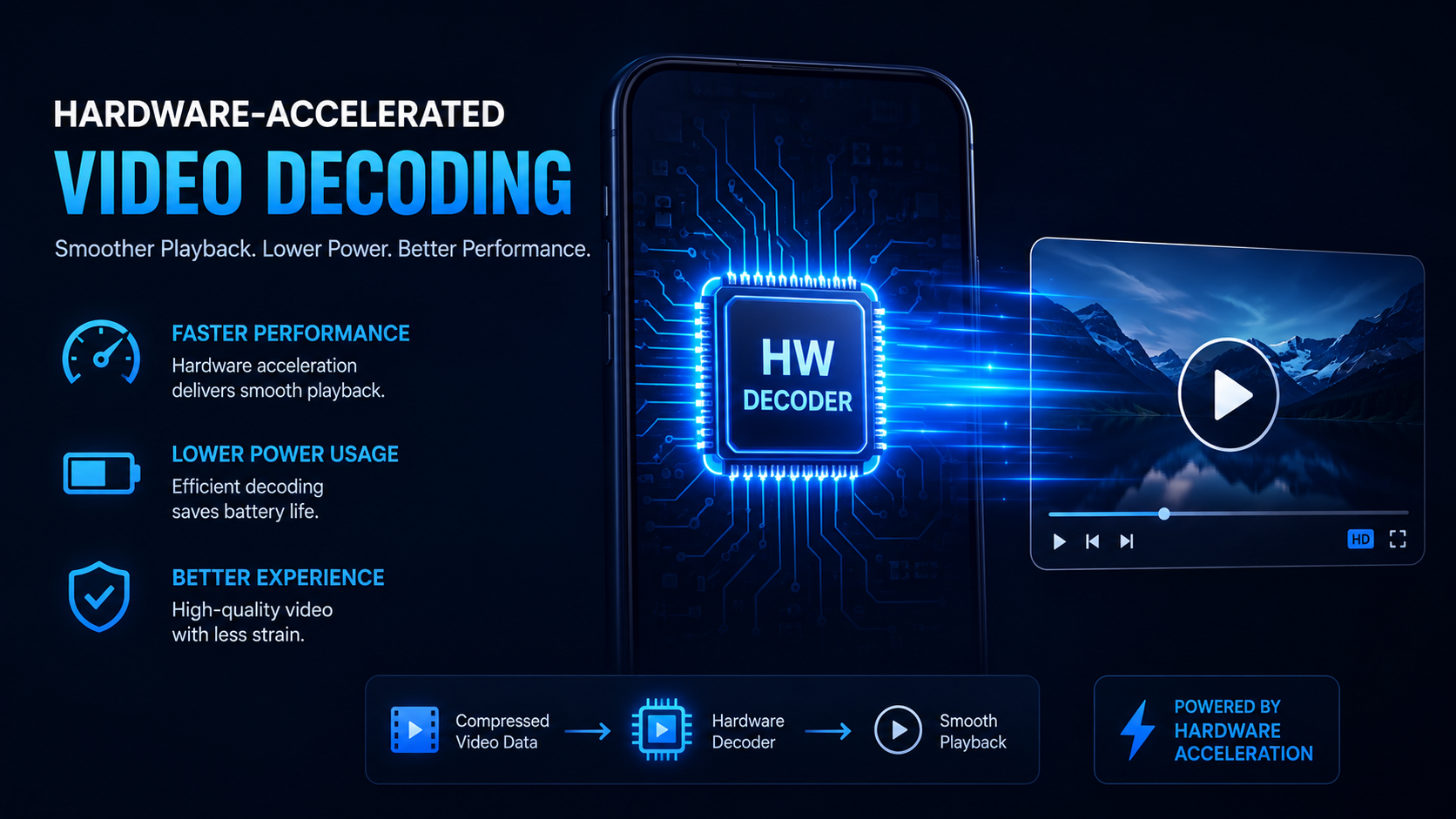
Beyond software compatibility, many devices include dedicated hardware decoding support for specific codecs, which significantly affects playback smoothness and battery efficiency, particularly on phones and tablets. A device with hardware support for H.264 will play those files smoothly with minimal battery drain, while playing a codec without hardware support forces the device to rely on software decoding, which uses considerably more processing power and battery life, and can occasionally result in stuttering playback on older or lower-powered hardware. This is part of why codec adoption tends to lag behind its theoretical efficiency advantages — a codec isn't genuinely useful for everyday use until hardware support becomes widespread across the devices people actually own, not just the newest flagship models.
A Brief History of Codec Evolution
Understanding how we got here helps put current codecs in context. Early digital video relied on considerably less efficient compression methods, requiring much larger files for comparable quality. H.264 represented a major leap forward when it was introduced, efficient enough to make HD streaming and downloading genuinely practical at scale, which is a big part of why it became so deeply entrenched as the default. Each subsequent codec generation has followed a similar pattern: meaningful efficiency gains, followed by a gradual, multi-year period of hardware and software catching up before mainstream adoption becomes truly universal. AV1 is currently somewhere in the middle of that adoption curve.
Practical Tips for Dealing with Codec Compatibility Issues
If you regularly run into playback problems related to codecs, a few practical habits help:
Keep a versatile media player installed, such as one known for broad codec support, as a fallback for files your default player struggles with.
Check your device's software is up to date, since codec support is often added or improved through system updates rather than requiring new hardware.
When in doubt, prefer widely compatible formats for files you plan to share with others, since you can't control what devices or players they'll use to open it.
Frequently Asked Questions
Which codec should I care about as an average user?
Generally, you don't need to actively choose — a good downloader or platform handles this for you. If you do need to choose, H.264 remains the safest for compatibility.
Why won't a video I downloaded play on my older device?
It's possible the file uses a newer codec, like H.265 or AV1, that your device doesn't fully support. Converting the file to H.264 typically resolves this, though it may involve some quality trade-off during conversion.
Is AV1 going to replace H.264 and H.265 entirely?
It's trending in that direction industry wide due to its efficiency and royalty-free licensing, but widespread hardware support will take time to fully catch up, meaning H.264 will likely remain relevant for compatibility purposes for a while yet.
Does the codec affect video quality directly?
Indirectly — a more efficient codec can deliver similar quality at a smaller file size, or better quality at the same file size, but the codec itself doesn't determine quality independent of the bitrate and source material.
Final Thoughts
Codecs operate almost entirely behind the scenes, but understanding the basics — what H.264, H.265, and AV1 each offer — helps explain why file sizes and playback compatibility vary between different videos. For most everyday downloading, a tool that handles this complexity well and defaults to broadly compatible choices, like White Hole, means you don't need to think about codecs at all to get a video that plays reliably and looks the way it should.