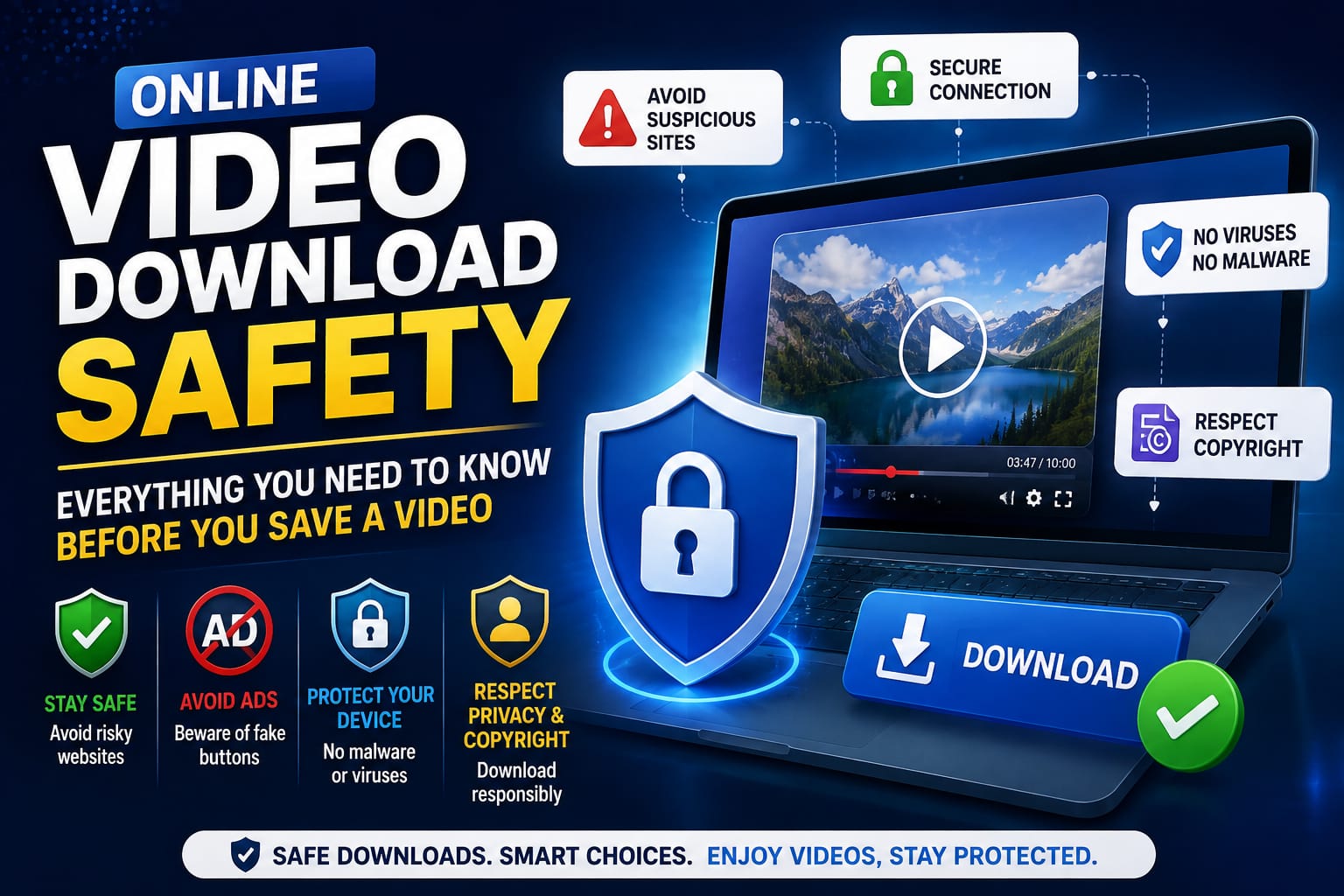
Video downloader sites have a reputation problem, and honestly, it's earned — the space has had more than its share of ad-stuffed, popup-heavy pages that prioritize monetization over doing the actual job safely. Here's a detailed, practical breakdown of how to tell the difference and protect yourself while still getting the download you actually came for.
The Real Risks with Downloader Sites
Forced pop-ups and redirects. Some sites open several new tabs the moment you click "download," often leading to unrelated ads, fake "update your browser" prompts, fake virus warnings, or other low-quality pages designed purely to generate ad impressions.
Bundled or fake downloads. Occasionally, what's offered as a "download" is actually a disguised installer for unrelated software, particularly on sites that rely on desktop apps rather than browser-based tools. This is far less common with genuinely browser-based downloaders, since there's no installer involved in the first place.
Misleading buttons. Some pages surround the real download button with several fake ones designed to generate ad clicks, making it easy to click the wrong thing entirely, sometimes triggering an unwanted download or redirect instead of your actual video.
Legal gray areas. Not every downloader site is upfront about what it's actually meant for, which can lead people to unknowingly try to download private or protected content without realizing the legal and ethical implications of doing so.
Data collection concerns. Some sites request unnecessary permissions or require account sign-up with personal information, even for basic downloading tasks that shouldn't require it at all.
How to Spot a Trustworthy Video Downloader
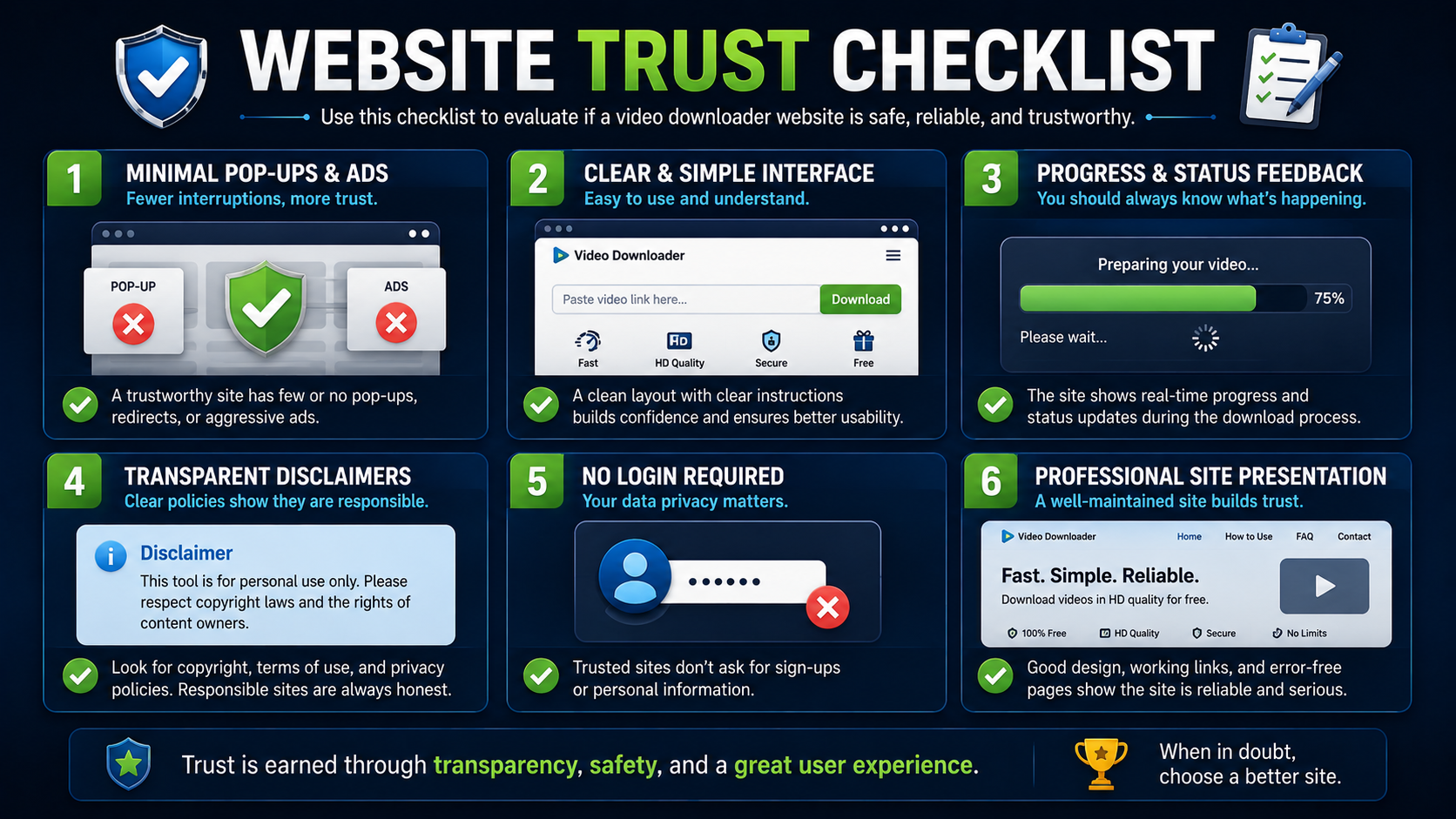
A few signs consistently separate safer, well-built tools from risky ones, and checking for these before you rely on a site regularly is worth the extra minute.
No forced pop-ups. Clicking download should download the file — not open three new tabs first before you can even see what happened.
Clear, single-purpose interface. If you genuinely can't tell which button is the real download action, that's a red flag worth taking seriously.
A visible progress or status indicator. Trustworthy tools show you what's happening at each step — validating the link, preparing the file, completing the download — rather than leaving you in the dark with a generic spinner.
An honest disclaimer. A site that plainly explains it's meant for public content and personal use — and openly admits that private or protected media won't work — is generally far more trustworthy than one that implies it can download anything from anywhere without limitation.
No login required for basic use. Requiring an account just to download a single public video is often a sign of unnecessary data collection rather than a genuine functional need.
Consistent, professional presentation. Broken layouts, excessive ads crammed into every available space, and inconsistent branding are all soft signals of a lower-quality, less maintained site.
Where White Hole Fits Into This
White Hole was built with these exact safety considerations in mind from the start:
The submit popup behavior was deliberately removed, since forced popups create friction and were specifically identified as a trust issue during development.
It includes a clear, plain-language legal disclaimer: the tool is meant for personal archiving and educational use of public content, and doesn't support downloading copyrighted material without permission from the rights holder.
No sign-in is required to use the core downloading features, meaning you're not handing over personal information just to save a public video.
Progress feedback is visible throughout the entire process — validation, preparation, and completion — so nothing feels like an opaque black box.
A Note on Legal Use
Safety isn't only about avoiding malware or bad actors — it's also about using downloaders responsibly in the first place. A genuinely safe approach means only downloading content you actually have the right to save: your own posts, permitted creator backups, educational reference material, or other public content where saving it doesn't violate the rights holder's terms of use.
It's worth being clear-eyed about this distinction. Private posts, login-only pages, region restricted media, and DRM-protected streams generally aren't downloadable through a public browser tool — and a responsible downloader will tell you this plainly rather than implying otherwise.
A Practical Safety Checklist
Before trusting any video downloader with regular use, run through this quick checklist:
[ ] Does clicking download lead directly to the file, without extra tabs or redirects?
[ ] Is there a visible legal disclaimer explaining the tool's intended use?
[ ] Does the site avoid requiring sign-up for basic downloading?
[ ] Is there clear feedback showing the download's progress?
[ ] Does the site avoid claiming it can download literally any content from any source?
[ ] Does the layout feel clean and professional, rather than cluttered with ads?
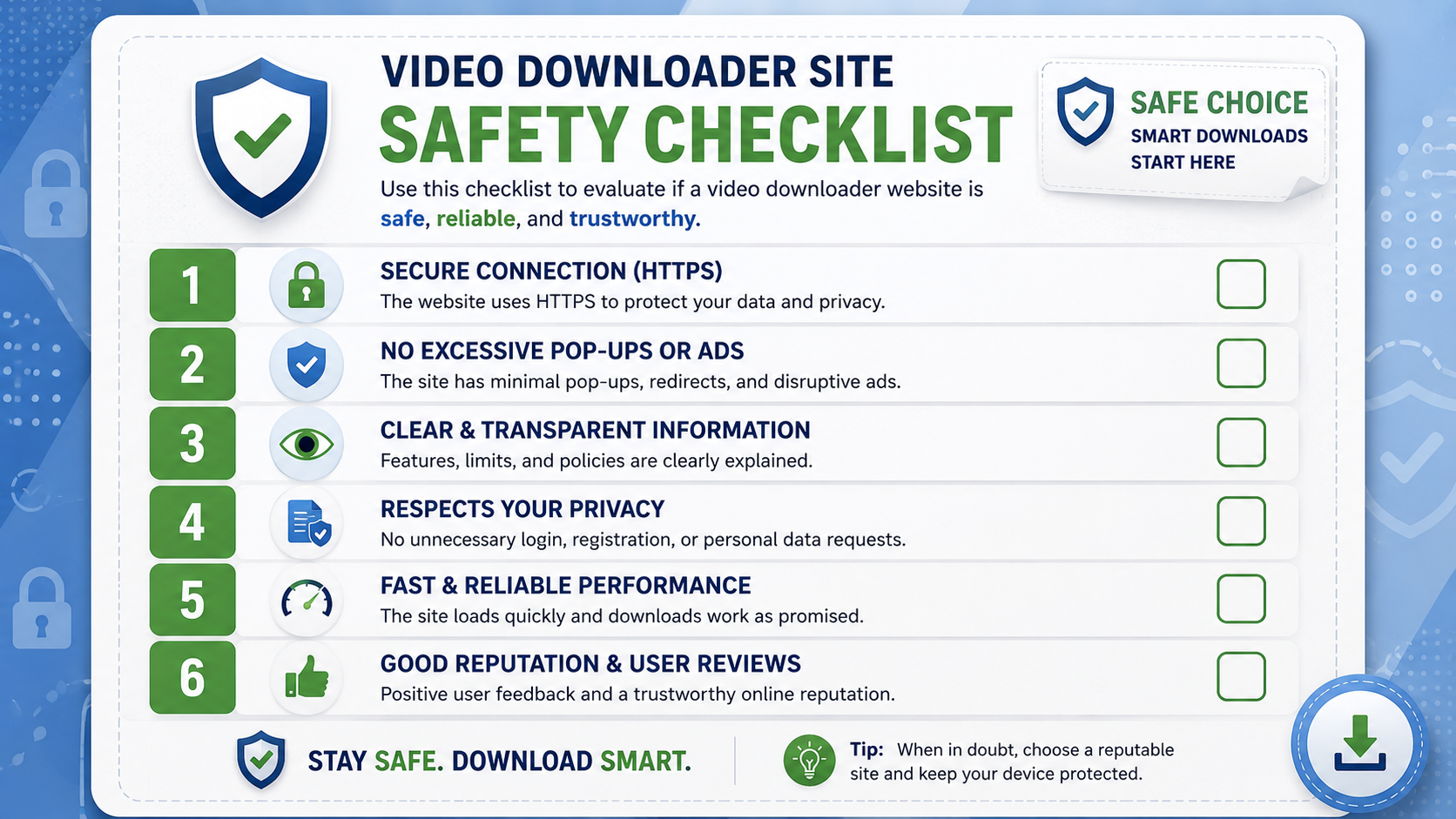
What to Do If You Suspect a Site Is Unsafe
If a downloader site redirects you unexpectedly, prompts you to install something you didn't ask for, or asks for permissions that don't make sense for a simple download task, the safest move is to close the tab immediately without interacting further. Avoid entering any personal information, and don't click through any pop-ups that appear, even ones claiming to be security warnings — these are frequently part of the same manipulative pattern designed to get you to click something you shouldn't.
Why Browser-Based Tools Are Generally Safer by Design
It's worth understanding why browser-based downloaders tend to be inherently safer than desktop software or app-based alternatives, beyond just the specific red flags to watch for. Browsers operate in a sandboxed environment, meaning websites — including downloader tools — have limited access to your actual device and file system by default. A malicious website can be annoying, with pop-ups and redirects, but it generally can't install software on your computer without your explicit action, unlike a downloaded executable file, which can potentially run with much broader system access the moment you open it.
This structural safety advantage is one of the underappreciated reasons the shift toward browser-based downloading has been good for user safety overall, separate from any individual tool's specific design choices. That said, it doesn't mean every browser-based site is automatically safe — poor practices like forced redirects and misleading buttons can still create a frustrating or risky experience even within a browser's sandboxed environment, which is exactly why the checklist above still matters.
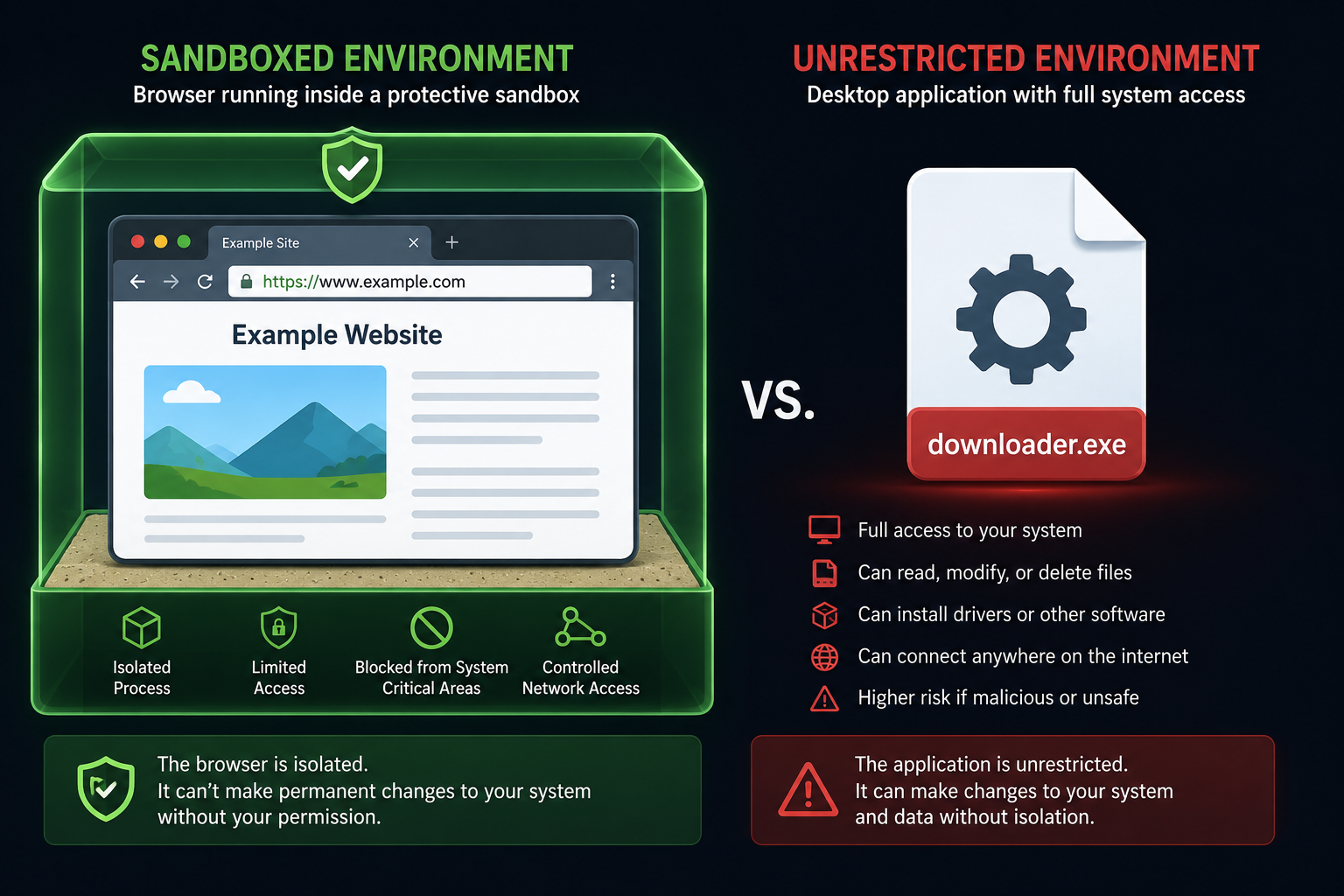
outside any boundary with broader arrows pointing to system files, illustrating the structural safety difference.
Protecting Your Personal Information
Even with a safe, reputable downloader, it's worth being generally cautious about what personal information you share with any online tool. A trustworthy video downloader shouldn't need your name, payment details, or extensive personal information just to process a public video download. If a site requests more than seems reasonable for the task at hand, that's worth treating as a caution sign, even if nothing else about the site seems obviously wrong.
Frequently Asked Questions
Are all free video downloader sites unsafe?
No — plenty of free tools are genuinely safe and well-built. The key is checking for the specific warning signs covered above, rather than assuming "free" automatically means risky.
Is it illegal to download videos online?
It depends entirely on what you're downloading and your right to do so. Downloading your own content, permitted backups, or content explicitly meant for offline use is generally fine; downloading private or copyrighted content without permission is not.
Does White Hole require an account?
No, core downloading features work without sign in.
How can I tell if a downloader adds malware to my downloads?
Genuine browser-based downloaders that don't require installing software carry minimal risk of this, since there's no executable file involved in the process at all — just a standard video file download.
Final Thoughts
Not every video downloader site is dangerous, but the category has had enough bad actors over the years that a little caution is genuinely worth the extra minute it takes. Look for tools that are transparent about their limits, don't force pop-ups, and are upfront about legal, public-content use — White Hole was specifically designed around that exact standard, which is worth keeping in mind as you compare your options.