
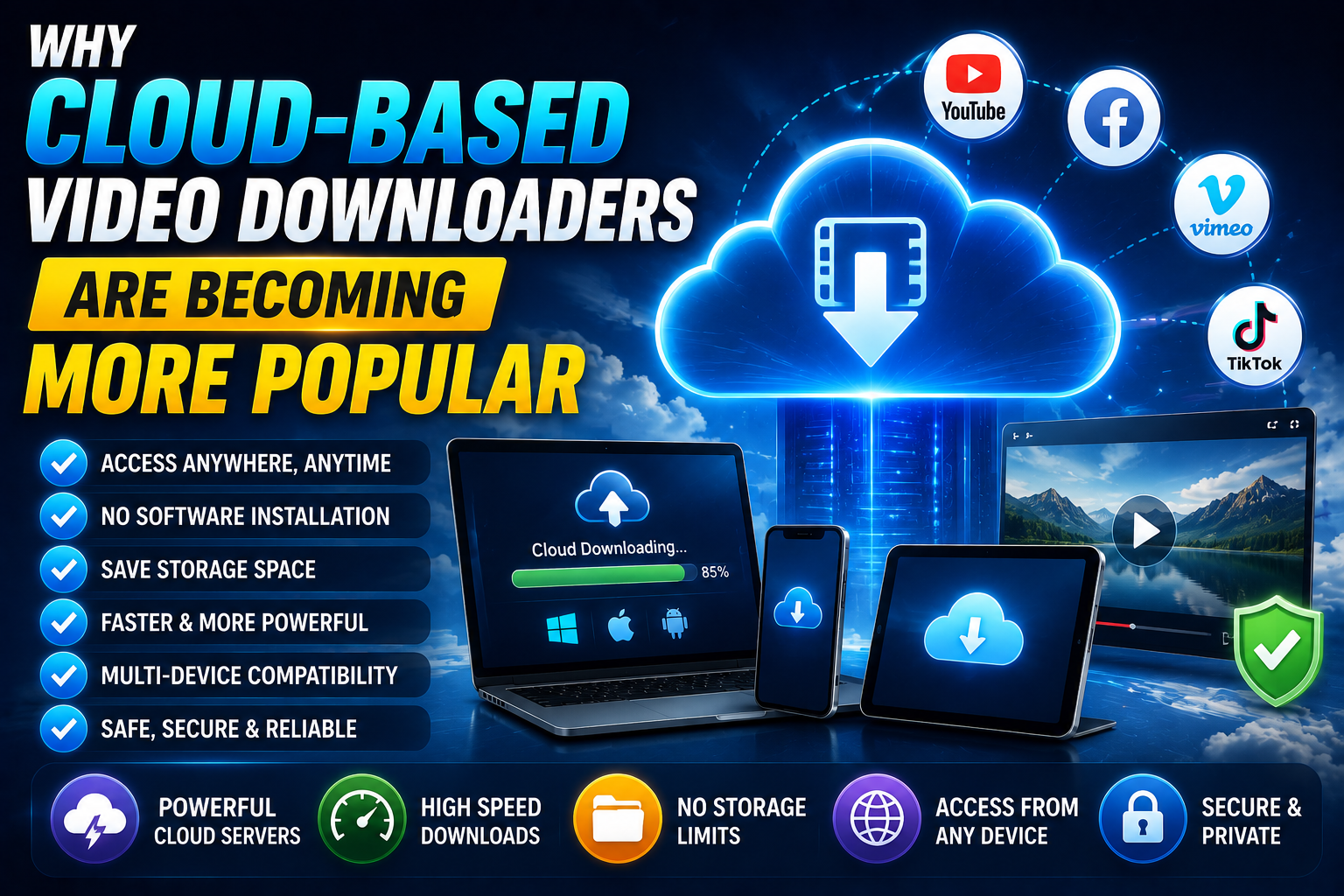
If you've noticed more video downloader tools describing themselves as "cloud-based" or entirely browser-first in recent years, that's not a coincidence — it reflects a genuine, accelerating shift in how people expect to download and manage video content. Here's a detailed look at why this shift is happening, and what it actually means in practice.
What "Cloud-Based" Actually Means for a Downloader
A cloud-based video downloader processes your request — validating the link, retrieving the video, preparing the file — on remote servers rather than on your own device. Your browser sends the request, the cloud infrastructure handles the heavy lifting, and the finished file is delivered back to you through a standard browser download. This is different from desktop software, which performs all of that processing locally on your own machine.
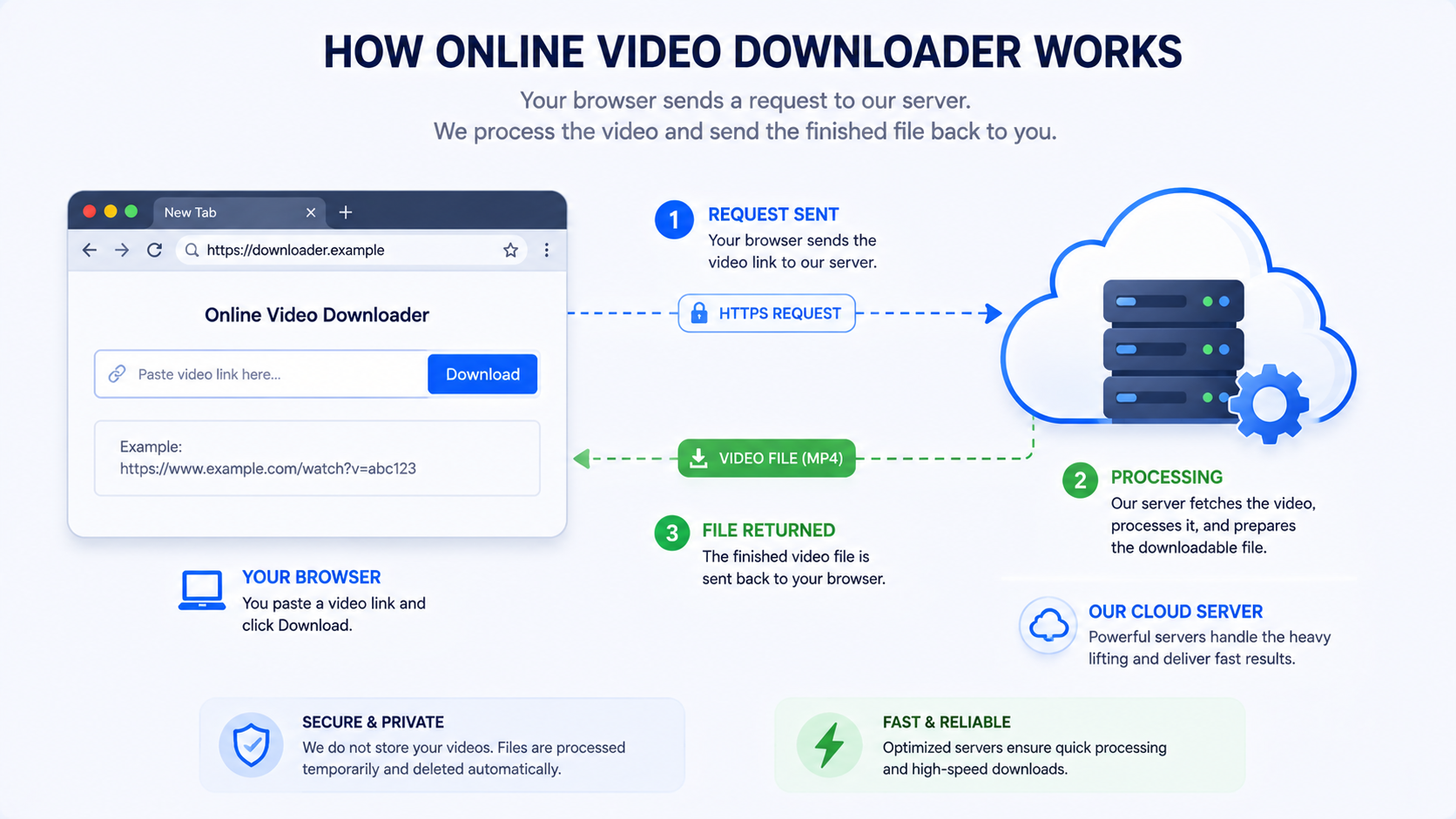
Reason 1: No Installation, No Maintenance
The most immediate advantage is the complete absence of installation. Cloud-based tools work the moment you open a browser tab, without downloading, installing, or updating any software. This alone eliminates an entire category of friction and risk that desktop tools inherently carry — no installer to trust, no bundled extras to watch out for, no manual updates to keep track of.
Reason 2: Consistent Access Across Every Device
Because processing happens remotely rather than locally, a cloud-based downloader works identically whether you're on a phone, tablet, work computer, or a friend's laptop. You're not limited to devices where you've specifically installed something. This has become increasingly important as people routinely switch between multiple devices throughout a single day, rather than doing all their computing on one dedicated machine.
Reason 3: Faster Adaptation to Platform Changes
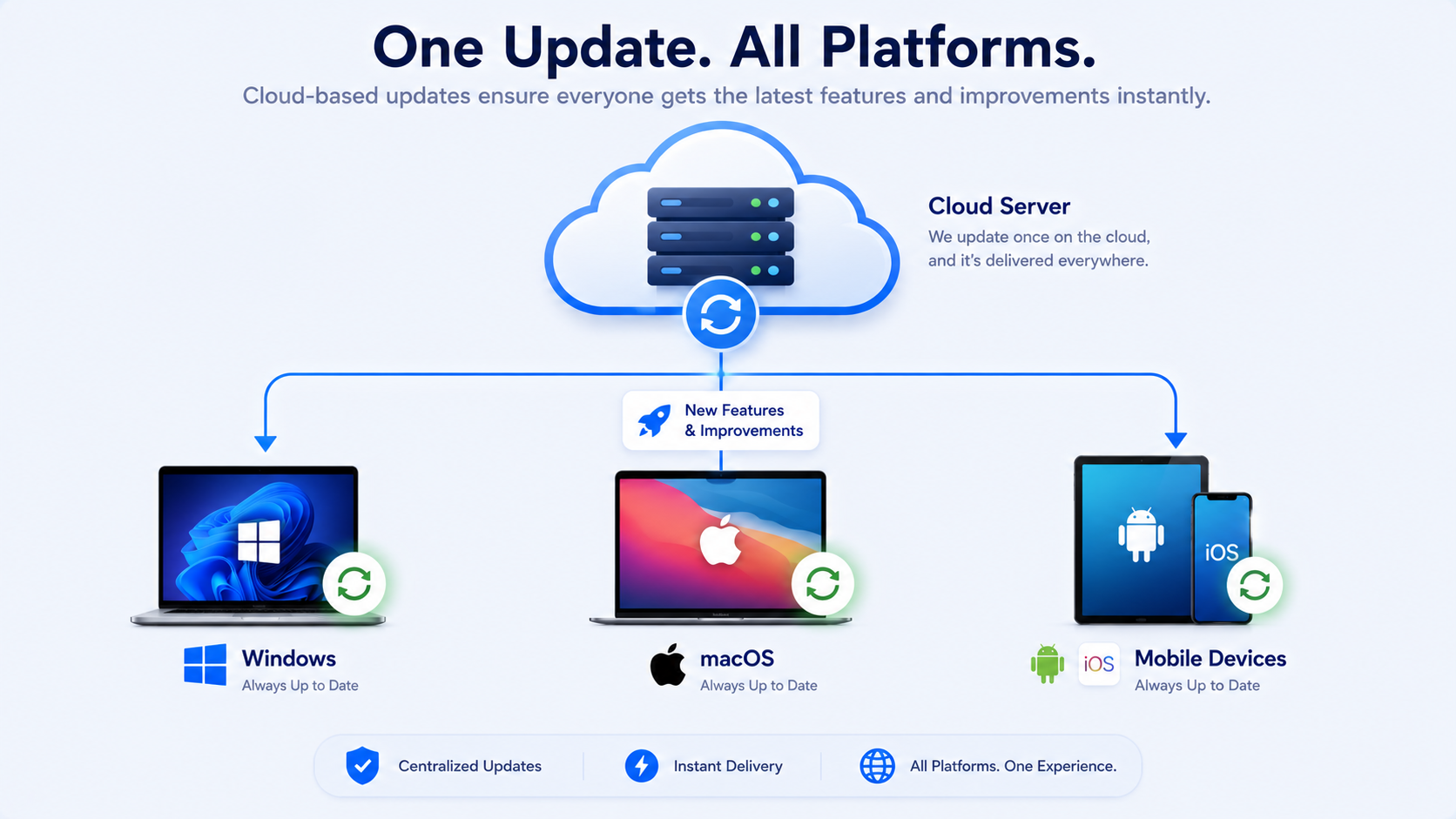
Video platforms periodically change how they serve public content on the backend, sometimes intentionally to manage server load or prevent unwanted scraping. Cloud based tools can be updated centrally and instantly by the provider the moment a fix is needed, meaning the tool keeps working smoothly without requiring any action from you. Desktop software, by contrast, requires the developer to release a new version and requires you to manually download and install it — a process that can leave the software broken for days or weeks in the meantime.
Reason 4: Reduced System Resource Usage
Cloud-based tools don't consume your device's storage or processing power beyond what's needed to display a webpage and handle the resulting file download. Desktop software, even when idle, can quietly consume storage and occasionally run background processes that affect overall system performance. For users on devices with limited storage or processing power — particularly older phones or entry-level laptops — this difference is genuinely meaningful.
Reason 5: A More Sandboxed, Generally Safer Environment
Browsers operate within a sandboxed security model that inherently limits what a website, including a cloud-based downloader, can access on your device. This is structurally different from installed desktop software, which can request much broader system access. While not every cloud-based tool is automatically safe just by virtue of being browser based, the underlying architecture does provide a meaningfully lower baseline risk compared to installing unfamiliar executable files.
Reason 6: Feature Parity Has Finally Caught Up
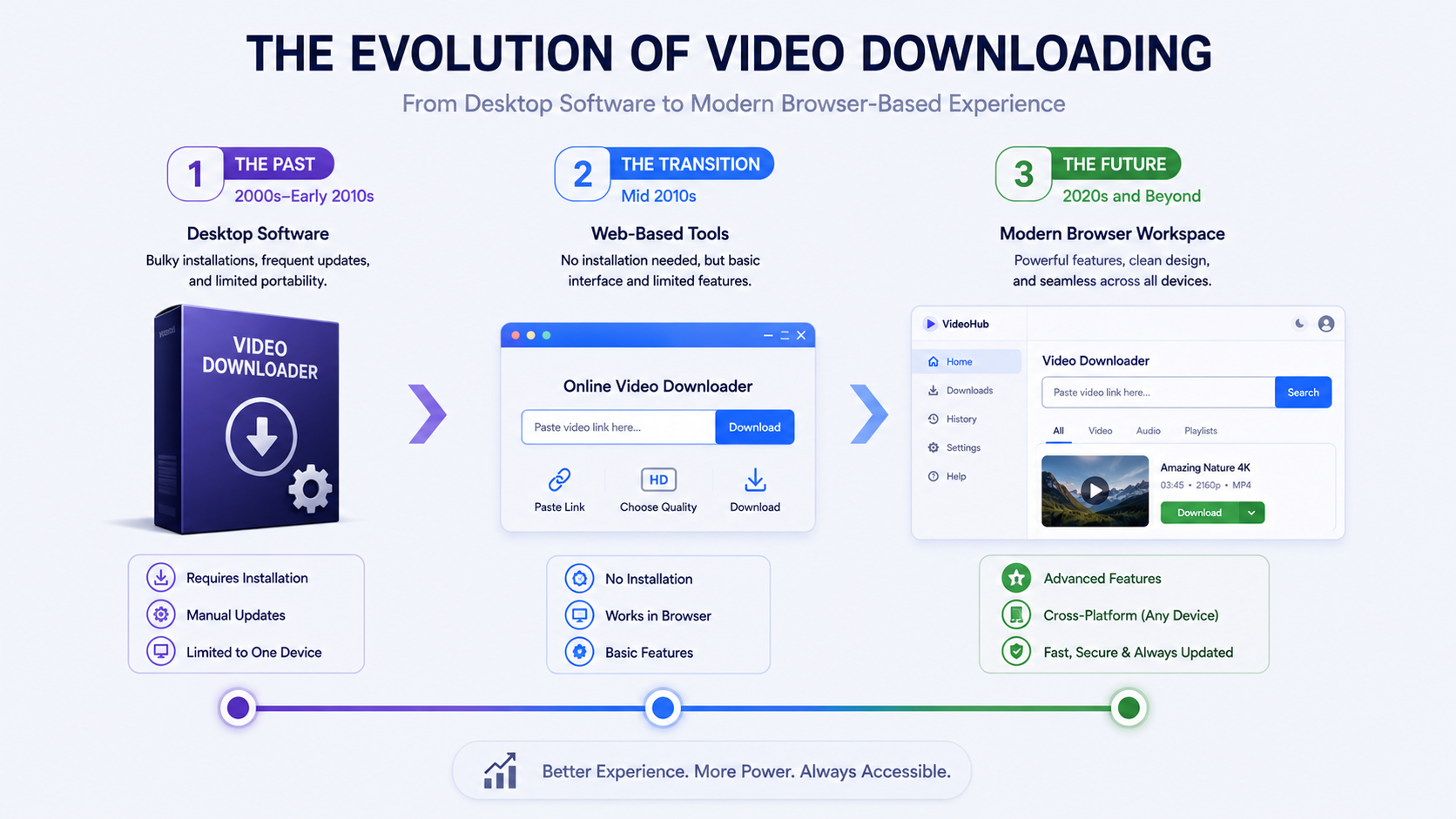
Historically, cloud-based tools lagged behind desktop software in terms of features — often limited to a single input field with minimal functionality. That gap has closed substantially. Modern cloud-based workspaces now commonly offer search functionality, multi-platform support, quality preservation, and clear progress feedback — capabilities that used to be considered desktop-exclusive advantages.
White Hole reflects this shift directly: it offers both URL Download and Search Download, broad platform coverage, original quality preservation, and consistent behavior across Chrome, Firefox, Safari, Edge, Opera, and Brave — all without requiring any installation or sign-in.
A Comparison of the Shift Over Time
Era | Typical Downloader Type | Common Limitations |
|---|---|---|
Early era | Desktop software | Installation risk, manual updates, device lock-in |
Transition period | Basic single-input web tools | Limited features, inconsistent quality |
Current era | Full cloud-based workspaces | Increasingly minimal, closing the gap with desktop |
What This Means for the Future
As cloud infrastructure continues to improve and browser capabilities keep expanding, it's reasonable to expect the remaining gaps between cloud-based and desktop tools to narrow further, particularly around advanced features like batch processing and, increasingly, developer-facing API access for more specialized or automated use cases. The fundamental advantages of cloud-based tools — no installation, cross-device consistency, and centrally managed updates — aren't going away, which suggests this shift is a durable, long-term trend rather than a temporary preference.
Addressing Common Concerns About Cloud-Based Tools
"Does cloud-based mean my data is being stored somewhere?" This depends entirely on the specific tool's practices. A well-built, privacy-conscious cloud-based downloader, like White Hole, doesn't require sign-in and stores only a lightweight local history in your own browser rather than on a remote server tied to your identity.
"Is a cloud-based tool slower since it relies on remote processing?" Not inherently — modern cloud infrastructure is generally fast enough that the difference is negligible in practice, and in many cases cloud-based tools feel faster overall since there's no local software to open or update first.
"What happens if I lose internet access?" Cloud-based tools require an internet connection to function, the same as any web-based service, since processing happens on remote servers rather than locally.
The Business Case Driving This Shift
It's also worth understanding why providers themselves are increasingly favoring cloud based models, beyond just user preference. Centralized infrastructure is generally easier and cheaper to maintain than supporting many different desktop software versions across Windows, macOS, and various Linux distributions. A single, centrally hosted cloud service can be updated once and instantly benefit every user, rather than requiring separate builds, testing, and distribution for each operating system. This business efficiency aligns well with user preference for a simpler, installation-free experience, which helps explain why the shift has accelerated rather than remained a niche approach.
How This Shift Connects to Broader Software Trends
The move toward cloud-based video downloading mirrors a much broader pattern across software generally — word processors, photo editors, and countless other tools that were once exclusively desktop applications have increasingly shifted toward browser-based or hybrid models over the past decade. Video downloading is following this same general trajectory, and there's little reason to expect it to reverse course, particularly as browser capabilities continue to expand and cloud infrastructure becomes increasingly capable of handling tasks that once required local processing power.
Frequently Asked Questions
Is a cloud-based downloader the same as a browser-based one?
Essentially yes — both terms describe tools that process requests remotely and require no local installation, accessed entirely through a web browser.
Are cloud-based downloaders always free?
Not necessarily, though many, including White Hole, offer robust free access for everyday use, with the possibility of additional paid tiers for advanced or high-volume needs.
Do cloud-based tools work on all browsers?
Well-built ones do — White Hole, for example, is designed to work consistently across Chrome, Firefox, Safari, Edge, Opera, and Brave.
Will desktop downloader software disappear entirely?
Unlikely in the near term, particularly for specialized, heavy-duty use cases, but its role is clearly shrinking for everyday, general-purpose video downloading.
Final Thoughts
Cloud-based video downloaders have grown in popularity because they solve real, recurring problems that desktop software has always struggled with — installation friction, slow updates, device lock-in, and unnecessary system resource usage. As tools like White Hole continue closing the remaining feature gaps while maintaining the core advantages of a browser-based approach, this shift toward cloud-based downloading looks less like a passing trend and more like the new practical standard.