Search "best video downloader" and you'll get a wall of nearly identical-looking sites, most of them recycling the same layout with a different logo swapped in. Figuring out which one is actually worth using takes more than a glance at the homepage — it takes knowing what to compare and why it matters. This guide breaks down exactly that.
Why "Best" Has Changed in 2026
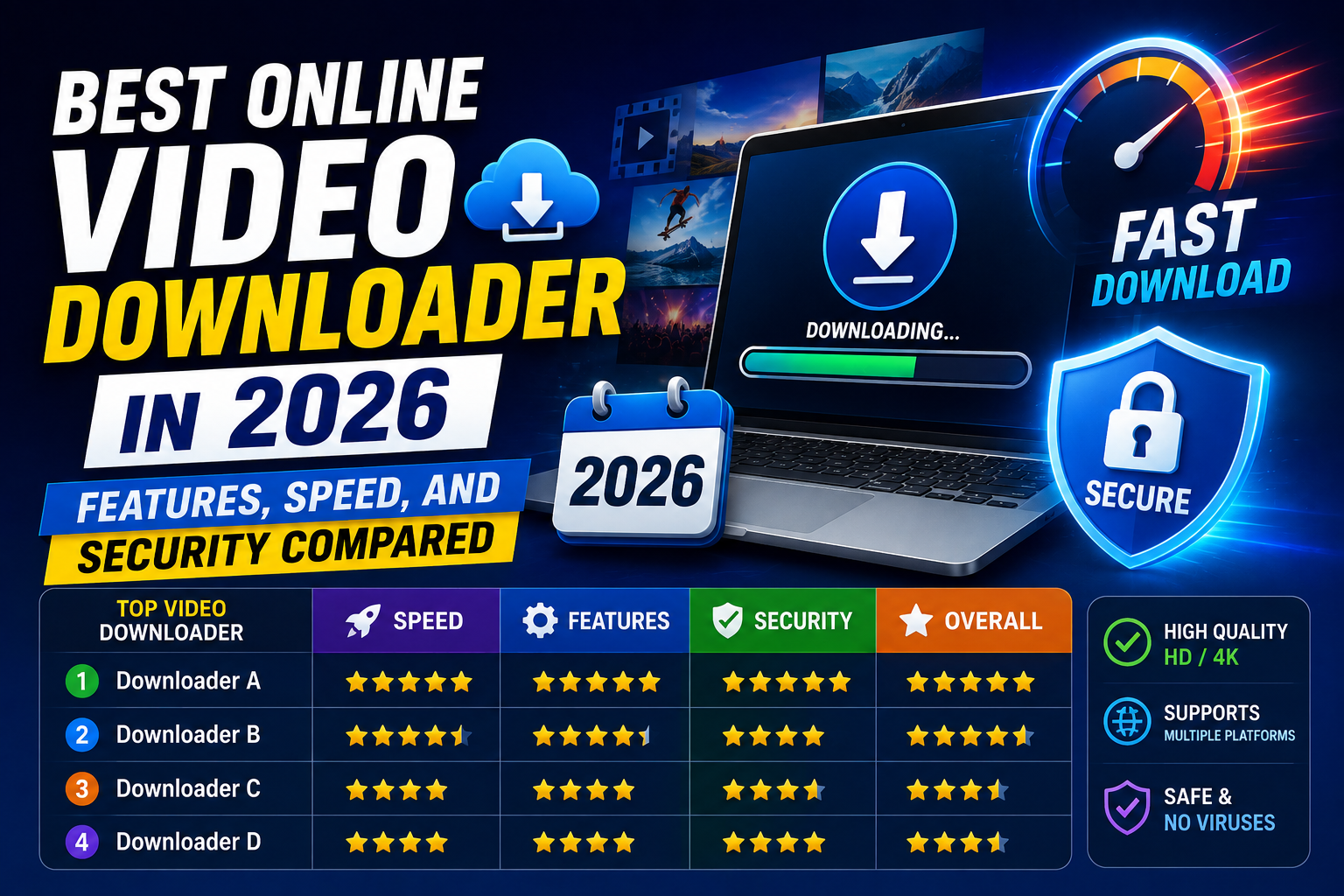
Video downloader sites have matured considerably over the past few years. The bar isn't just "does it technically work" anymore — it's a combination of several factors that determine whether a tool is actually pleasant and safe to use regularly:
Feature depth — does it just take a link, or does it also let you search when you don't have one?
Speed — how long does it take from pasting a link to having a finished file?
Security — does it push pop-ups, open unrelated redirects, or require sketchy permissions?
Quality — is HD/4K genuinely preserved, or silently compressed on the way through?
Platform coverage — does it handle one platform, or does it work across the sites you actually use?
Transparency — does it explain its limitations honestly, or does it imply it can download literally anything?
Comparing the Common Approaches
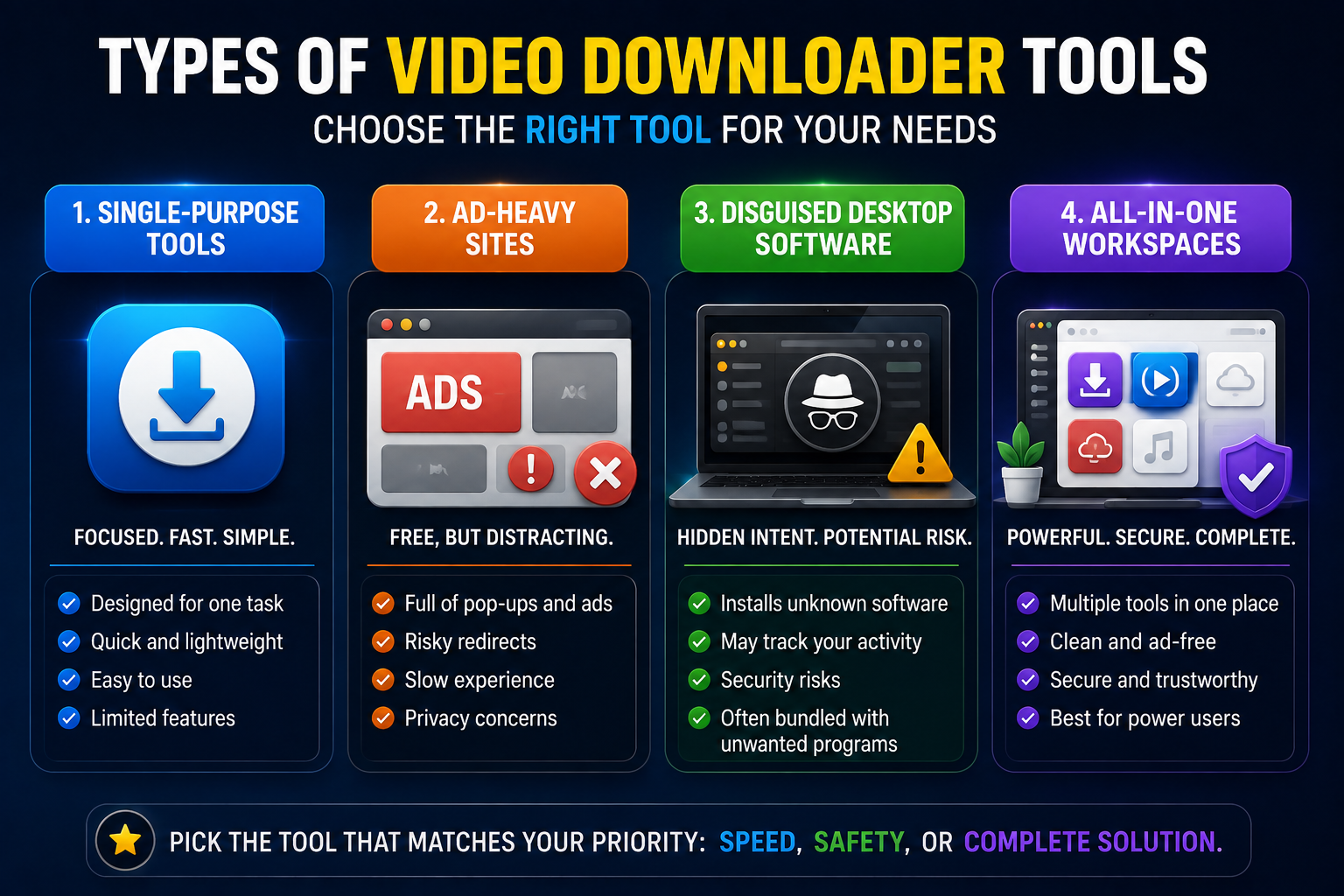
Old-style single-purpose downloaders. These tend to support only one platform — just YouTube, or just TikTok — forcing you to bounce between different sites depending on where the video came from. They're often fast at the one thing they do, but the narrow scope becomes frustrating quickly if you download from more than one platform regularly.
Ad-heavy "free download" sites. This category typically loads with pop-ups, fake download buttons, and redirect chains designed to generate ad revenue rather than get you to your file efficiently. Even when they technically work, the experience is frustrating, and occasionally genuinely unsafe if a redirect leads somewhere it shouldn't.
Desktop software repackaged as a website. Some sites are really just a marketing front for a desktop app, and the "online" download either doesn't work at all or nudges you toward installing software you didn't come looking for.
All-in-one browser-based workspaces. This is a newer, more mature category that combines link-based downloads, keyword search, and broad platform coverage into a single, focused tool — without pushing you toward installing anything. This is where White Hole sits.
How White Hole Compares Feature by Feature
White Hole was built specifically to address the friction points listed above. Here's how it stacks up against the common problems in this space:
Two ways in. You can paste a known URL directly, or use Search Download if you only remember the topic, creator, or platform — a feature most single-input downloaders simply don't offer.
No forced pop-ups. The submit flow was deliberately redesigned to remove surprise tabs and popup behavior, which was specifically identified as a trust and friction issue during development.
Original quality output. No compression shortcuts, no watermarks added to your downloads — the file you get matches what was originally uploaded.
Broad platform coverage. YouTube, TikTok, Instagram, Facebook, X, Vimeo, LinkedIn, Pinterest, Snapchat, and dozens more through dedicated platform routes, all inside one workspace.
Visible progress feedback. You see when a link is validating, when a result is ready, and when a source falls outside the supported public-download flow — instead of staring at a blank spinner with no explanation.
No sign-in requirement. Core downloading features work immediately, without creating an account or handing over an email address.
Cross-device consistency. The interface holds up across desktop, tablet, and mobile, and works reliably across Chrome, Firefox, Safari, Edge, Opera, and Brave.
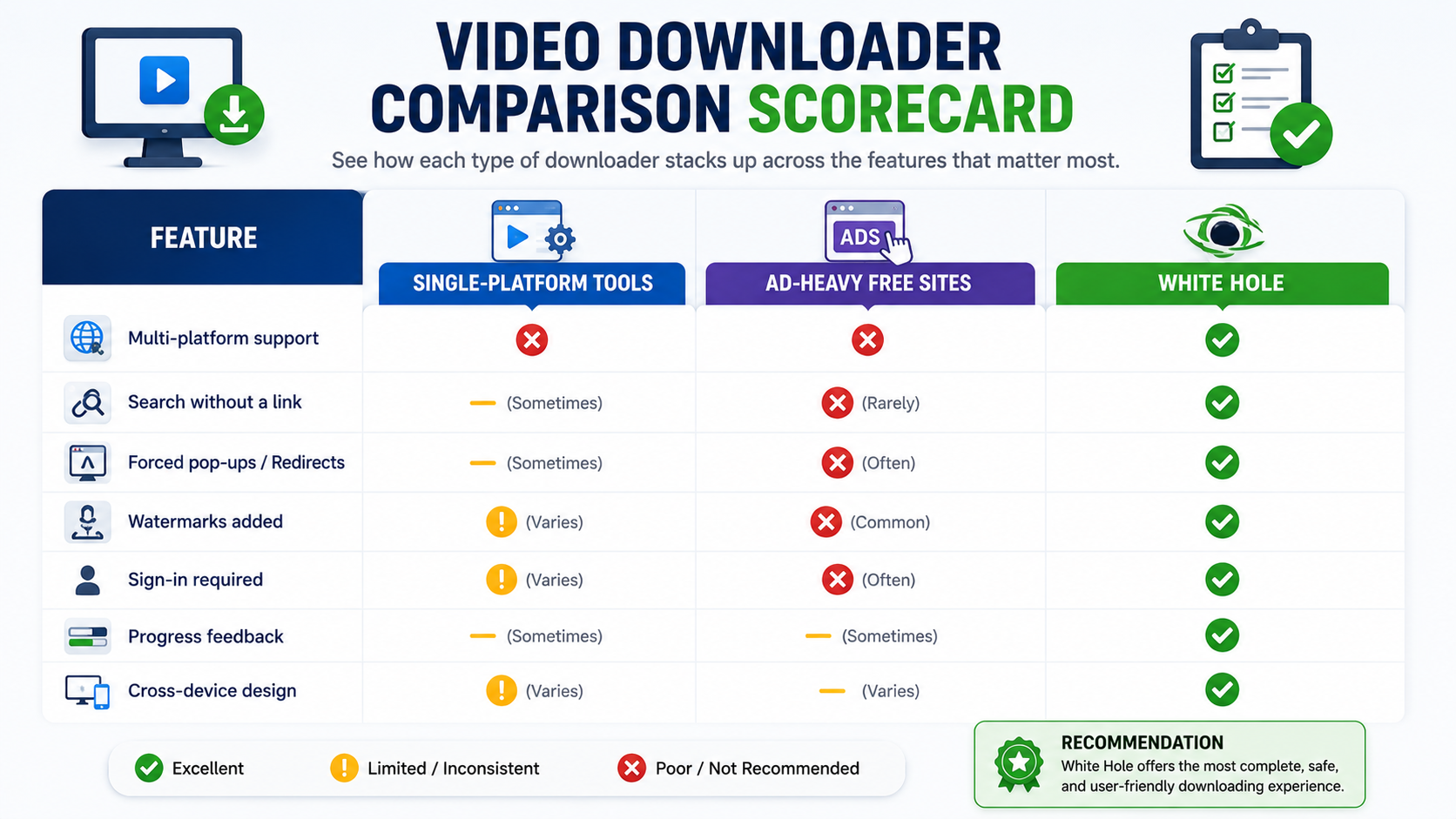
A Practical Comparison Table
To understand how different online video downloaders compare, the table below highlights key features that can affect usability, convenience, and overall experience.
Feature | Single-Platform Tools | Ad-Heavy Free Sites | WhiteHole |
|---|---|---|---|
Multi-platform support | No | Rarely | Yes |
Search without a link | Rarely | Sometimes | Yes |
Forced pop-ups | Often | Often | No |
Watermarks added | Sometimes | Varies | No |
Sign-in required | Sometimes | Varies | No |
Progress feedback | Minimal | Rarely | Clear, visible |
Cross-device design | Varies | Rarely optimized | Yes |
Security Considerations Worth Actually Checking
When comparing downloader sites, a few quick checks tell you a lot about how trustworthy a tool actually is:
Does clicking "download" open unrelated new tabs? This is one of the clearest warning signs of an ad-driven, lower-quality site.
Does the site explain what it does and doesn't support? A good sign — vague, over-promising sites that imply they can download anything from anywhere are usually the ones worth avoiding.
Is there a clear disclaimer about legal, public-content use? Sites that ignore this entirely, or bury it in fine print, are worth being cautious about.
Does the tool require unnecessary permissions or sign-up just to try it? For basic downloading, this usually isn't necessary and can be a sign of unwanted data collection.
White Hole includes a plain-language disclaimer covering exactly this — it's built for personal archiving, creator backups, and educational use of public content, and it doesn't pretend that private or protected media can be downloaded through the tool.
Speed: What Actually Affects It
Speed comparisons between downloader sites can be misleading, since the actual bottleneck is usually server infrastructure and your own connection, not the tool's interface. That said, a few design choices do affect real-world speed:
Direct handoff design, where search results move straight into the downloader without extra steps, genuinely saves time over tools that require copying and re pasting links between separate pages.
Clear status indicators don't make the download itself faster, but they make the wait feel shorter and prevent the confusion of not knowing whether something is stuck.
Avoiding unnecessary re-encoding actually speeds up the process too, since pulling the original file is computationally simpler than converting it into a new format first.
What to Avoid When Comparing Tools
Be cautious of sites that:
Claim to support "any video from any site" without qualification — this is rarely fully true and often a sign of overpromising.
Have no visible privacy policy, terms of service, or disclaimer.
Bury the actual download button among several decoy buttons or ads.
Require an account with payment information just to try a basic download.
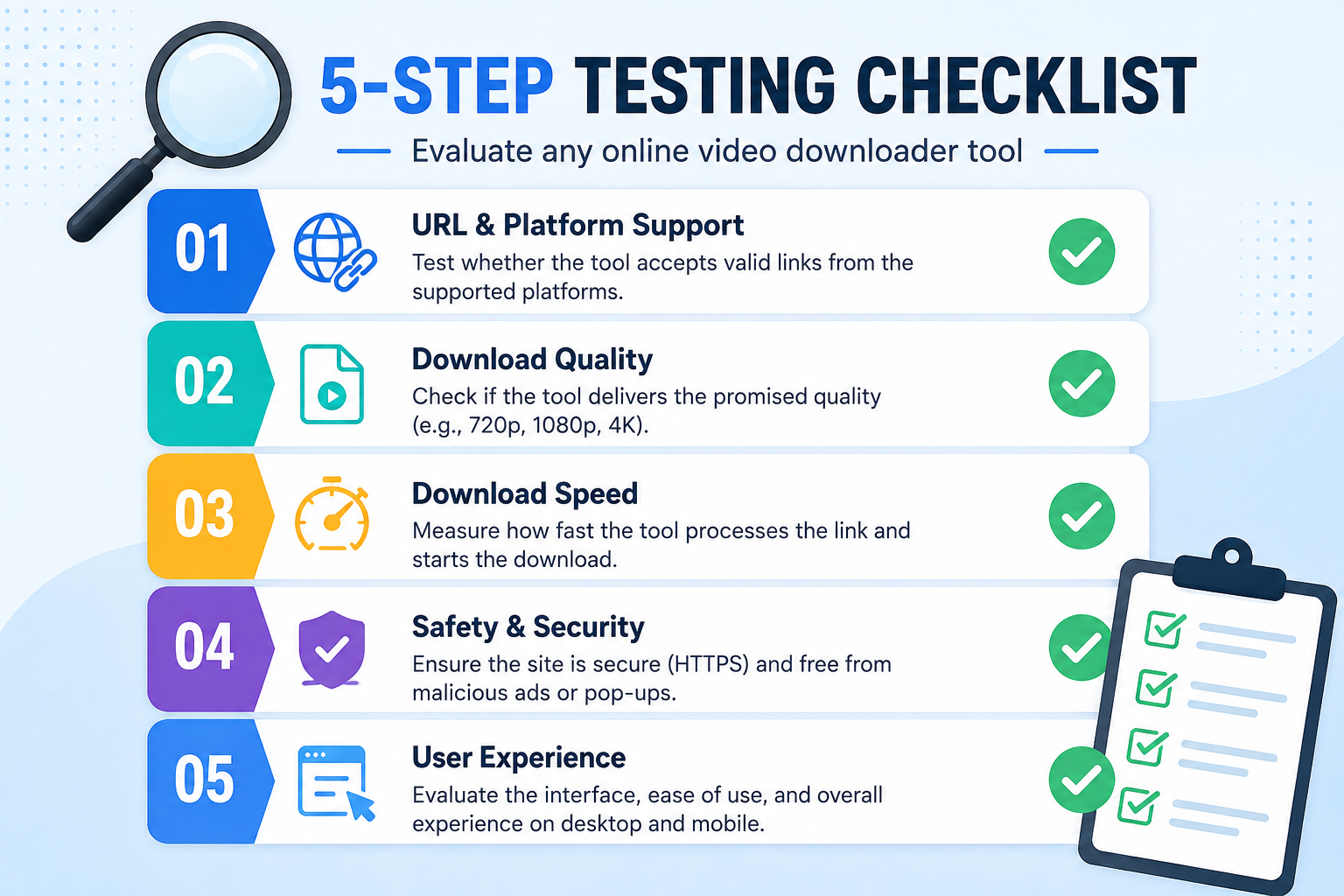
How to Test a Downloader Before Trusting It Regularly
Rather than relying purely on a homepage's claims, it's worth running a quick personal test before adopting any downloader as your go-to tool:
Try it on a video you already know well — one where you're familiar with the original resolution and quality — so you can immediately spot any compression or quality loss.
Pay attention to what happens between clicking download and receiving the file. Extra tabs, unexpected redirects, or unclear loading states are all signs worth noting.
Check whether the tool tells you when something fails, rather than just spinning indefinitely or failing silently.
Test it across the platforms you actually use, since a tool that handles YouTube well doesn't automatically mean it handles Instagram or TikTok equally well.
Revisit it after a few weeks. A well-maintained tool should still work reliably as platforms make small changes; one that quietly breaks and stays broken is a sign of poor upkeep.
This kind of quick, personal test tells you far more than any review or comparison article, since it reflects exactly how the tool performs for the specific platforms and content you care about.
Why Longevity Matters More Than It Seems
A downloader that works well today isn't automatically one that will keep working well in six months. Platforms regularly adjust how they serve public content, and a tool's ability to adapt quickly depends on active maintenance. This is one of the less visible but more important factors in choosing a downloader — a site that's frequently updated to match platform changes will simply be more reliable over time than one that was built once and left alone.
Frequently Asked Questions
Is White Hole free to use?
Yes, White Hole's core downloading features are free, with no sign-in required.
Which platforms does White Hole support?
YouTube, TikTok, Instagram, Facebook, X, Vimeo, LinkedIn, Pinterest, Snapchat, and dozens more through dedicated platform routes.
Does White Hole add watermarks to downloads?
No, downloads preserve original quality without added watermarks.
Is it safe to use online video downloaders in general?
It depends heavily on the specific tool. Look for ones without forced pop-ups, with clear disclaimers, and without unnecessary sign-up requirements.
Final Verdict
The "best" online video downloader in 2026 isn't the one with the flashiest homepage — it's the one that's honest about what it does, doesn't waste your time with pop-ups, and hands you the actual quality file you expected, across the platforms you actually use. White Hole was built around exactly that standard, which is why it's worth trying if you're comparing options in this space.